32
Configuring Crossover Types
Crossover types can be selected in Configuration mode.
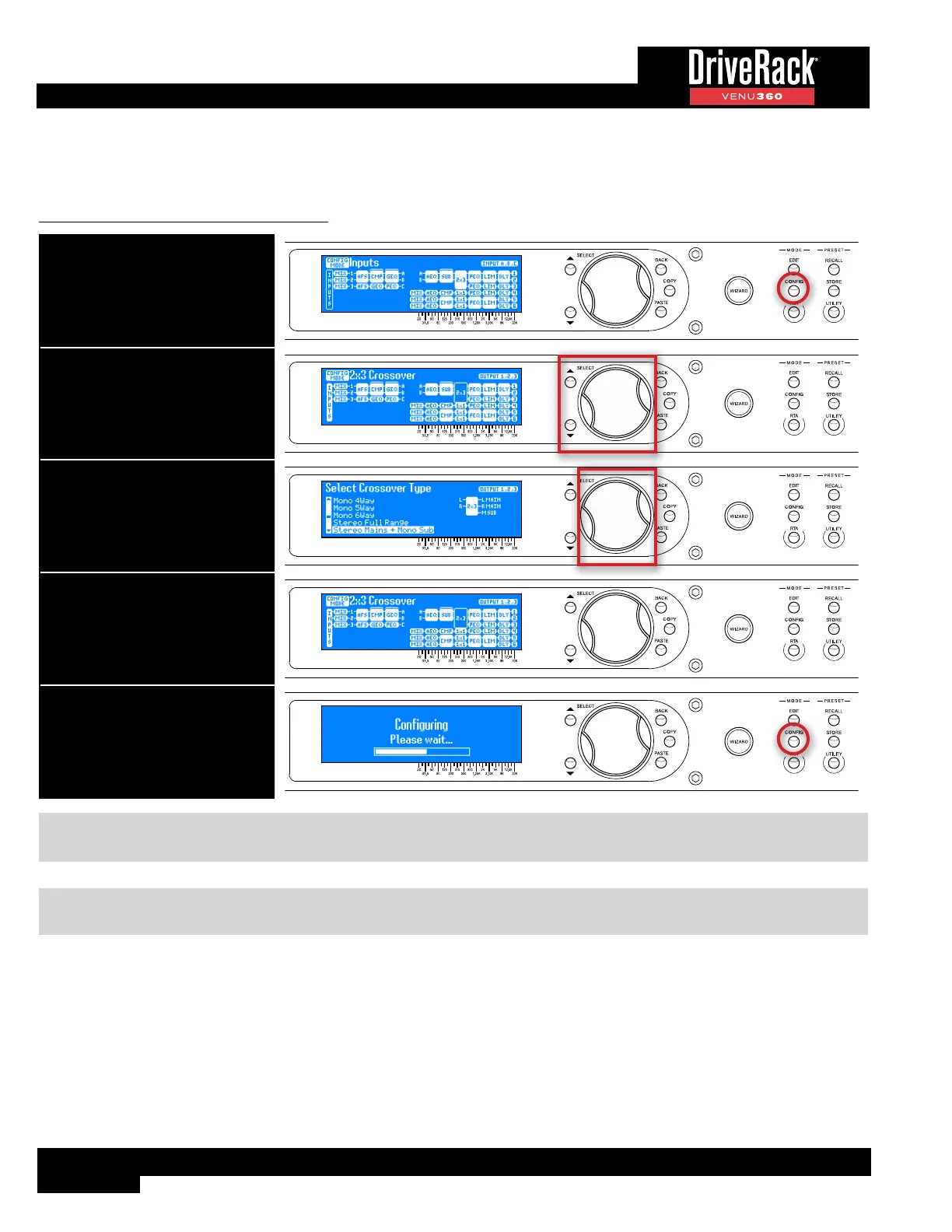
To configure Crossover module types:
1. Press the CONFIG button.
2. Select a Crossover module using
the SELECT wheel and UP/DOWN
buttons. Press the SELECT wheel
to enter the Crossover Type
Selection menu.
3. Select the desired option by
turning then pressing the SELECT
wheel. See TIP following table.
4. Repeat steps 2-3 to configure any
additional Crossover modules.
5. When done, press the CONFIG
button twice to apply the changes.
TIP: Outputs are automatically named when changing crossover configuration types. These output names can be edited if
desired, see ‘Naming Outputs’ on page 42 for more information.
NOTE: When changing crossover configuration types, default crossover settings will automatically be set to get you
started.



 To Next Page