PSX-AR Manual Rev: P Software Rev: N
20
Lenz:
The Lenz system sends repeat accessory commands as long as you hold down the 1 or 4
command key. This ensures that the accessory decoder sees the message, but can result in
the same address stored multiple times while programming a PSX-AR. The solution is simple:
1. Hold the 1 or 4 key down for only a short time.
2. Release the control key once you see the PSX-AR’s D10 LED flash indicating an
address has been stored.
3. If you see multiple flashes, you have stored the same address more than once.
4. Since the PSX-AR will flash D10 each time you send it an accessory address, you
can easily get a feel for the timing involved.
5. In normal operating mode [not programming mode], select an accessory address
that has not been programmed into the PSX-AR.
6. Send an accessory command to this address and hold down the 1 or 4 control key.
7. D10 will flash each time the command station repeats the accessory address. This will
give you a feel of how long to hold the control key while you are programming to
avoid storing multiple addresses.
L. Add On Circuits for the PSX-AR by Don Fiehmann
The PSX-AR reverser/circuit breaker has become a very popular way to control polarity in
reverse loops and wyes. The PSX-AR also has many features that can be used when wired
to a layout. Here is a simple control that can be easily added for more control using the
PSX-AR.
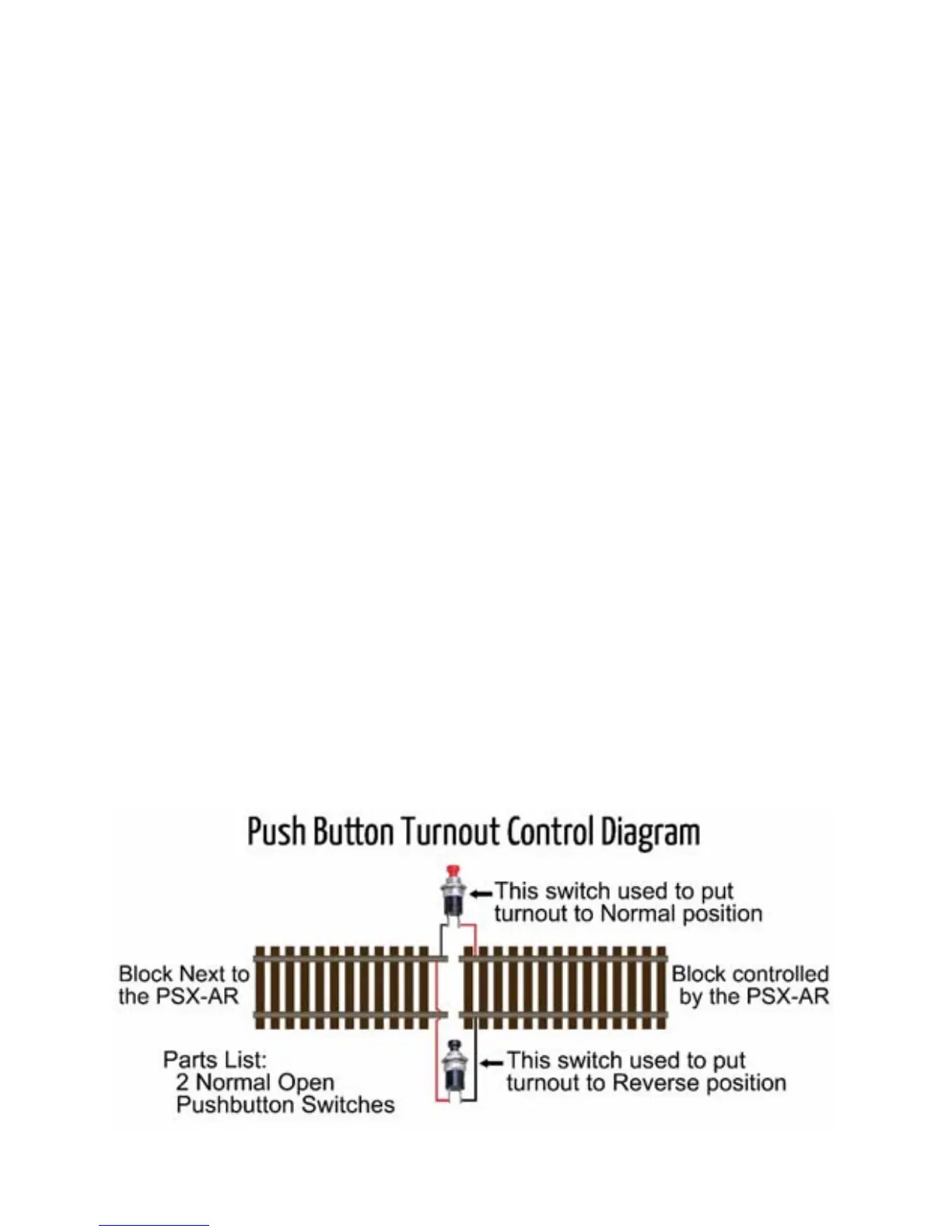
1) Pushbutton Control of Turnout: This option gives control of both positions. We like
simple solutions and this one qualifies for that category. Three pieces of wire and two
push-button switches is all that is required. The way this works is the pushbutton switch
puts a short between either of the rails of the loop and one of the rails feeding the loop.
This causes the PXS-AR to instantly reverse the rail polarity and also throw the switch.


 To Next Page