- 12 -
2.5.5 Authentication Management
Click “System Maintenance”>>“Authentication Management”, the user
can see authentication management configuration and Telnet status.
(1) Select local authentication and save it directly.
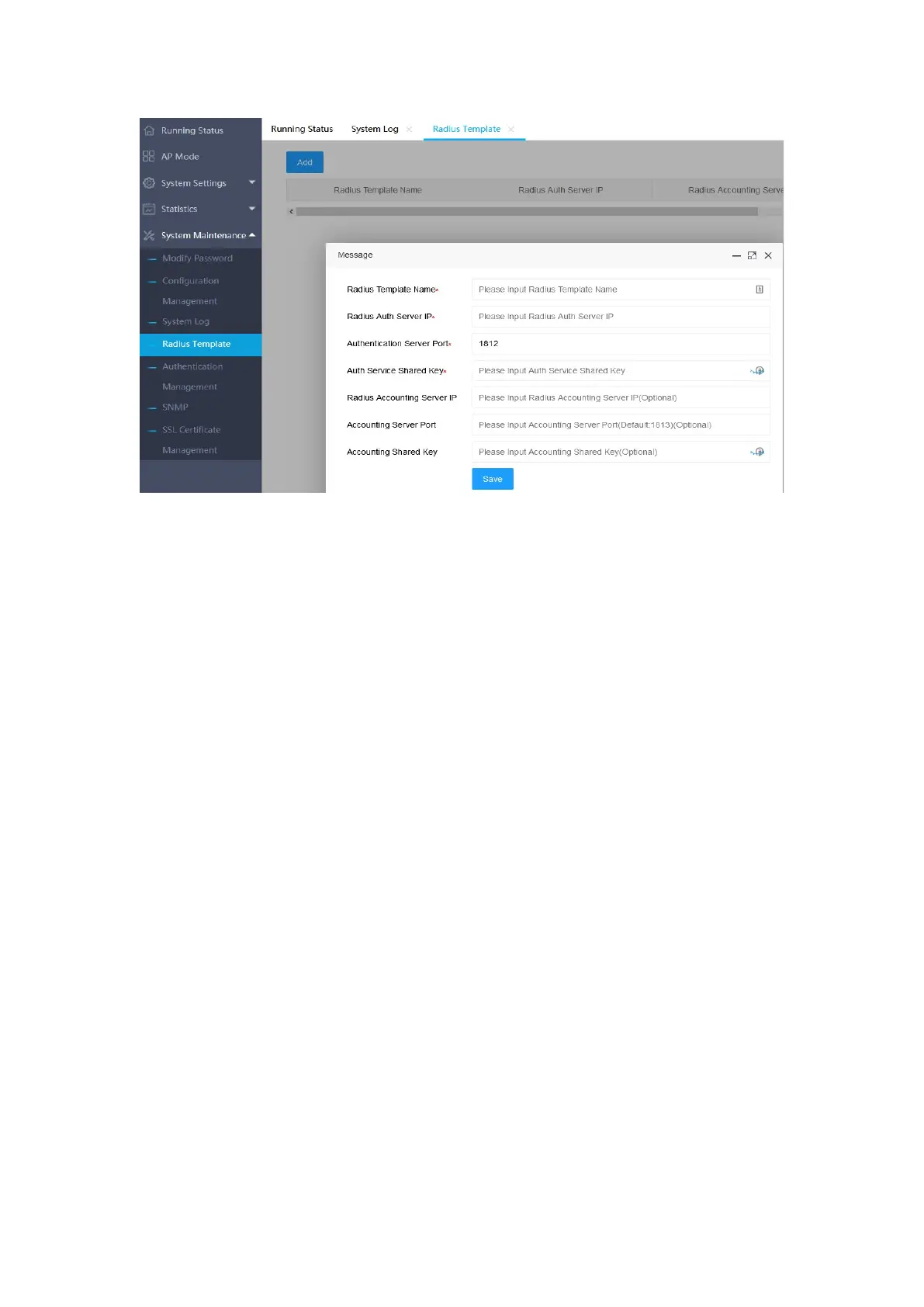
(2) To select Radius server authentication, you need to select a Radius server.
This Radius server has been maintained in the "Radius server template".
Click “System Maintenance”>>“Authentication Management”, the user
can see authentication management configuration and Telnet status. Choose to
open or close telnet and save it.


 To Next Page