- 33 -
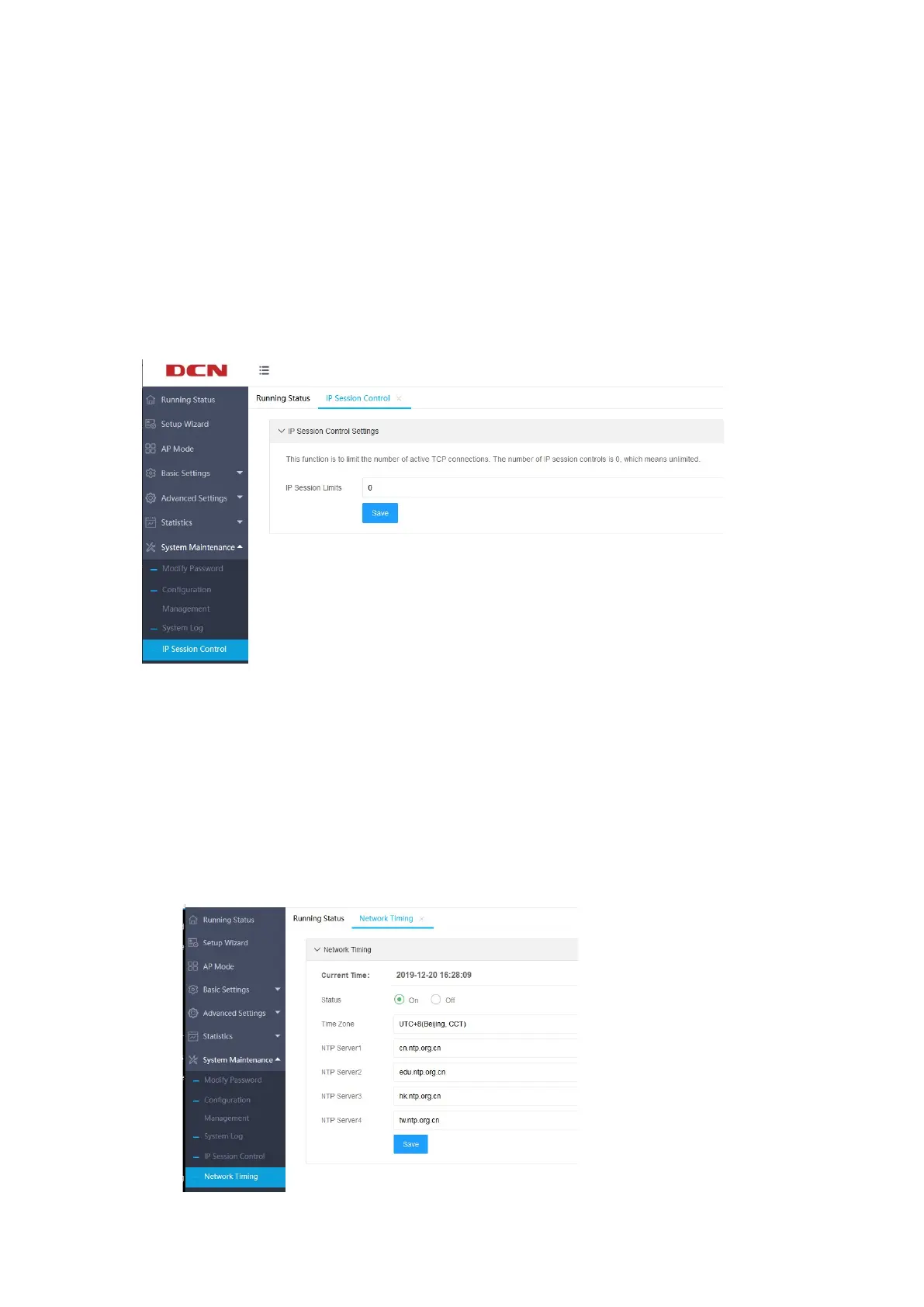
the IP session control page, where you can set the number of TCP connections that
each client can use simultaneously. If the number of connections reaches the
specified number, the new TCP connections will be rejected. Note that closed TCP
connections are not counted in the number of connections.
The default is 0, which means unlimited. As shown below:
4.4.2 Network Timing
Click “System Maintenance” >>” Network Timing”, you can set NTP
network time, turn on or off the NTP server. It supports up to 4 NTP server settings.
As shown below:


 To Next Page