this IP address is 192.168.1.10 and you can change it if needed.
Subnet Mask: The subnet mask of this AP to the LAN. You can enter different
subnet masks based on the a
5.3.2 WAN P
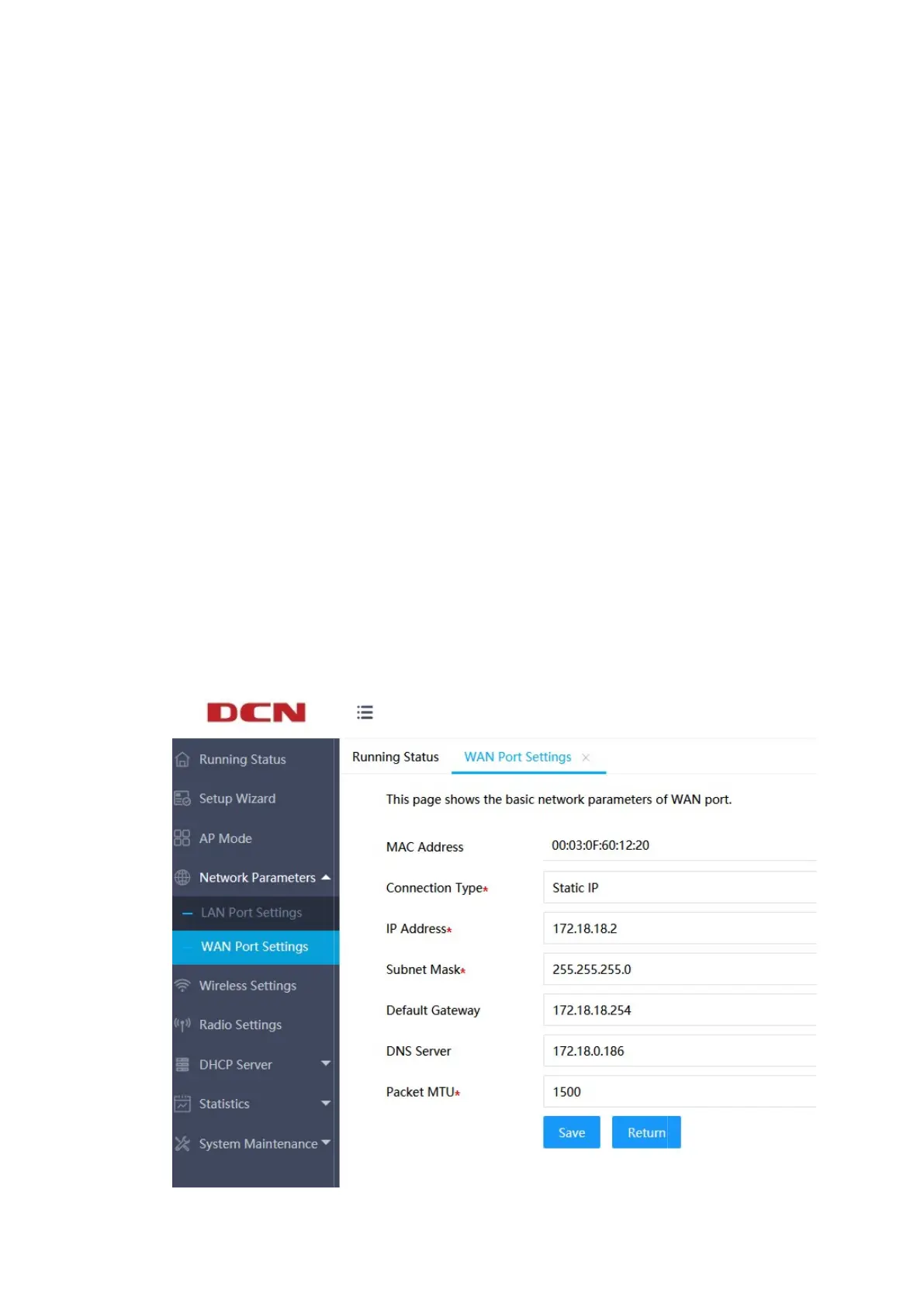
Click "Network Parameters"
the basic parameters of the WAN port.
There are currently three ways to obtain the IP address of the WAN port: static
IP, dynamic IP, and
PPPoE, which can be set according to the Internet access method
provided by the service provider. Compared to the setup wizard, the information
configured on this page is more comprehensive.
If the selected IP address acquisition method is static IP,
- 48 -
this IP address is 192.168.1.10 and you can change it if needed.
Subnet Mask: The subnet mask of this AP to the LAN. You can enter different
subnet masks based on the a
ctual network status.
Click "Network Parameters"
>>
"WAN Port Settings" on the left menu to modify
the basic parameters of the WAN port.
There are currently three ways to obtain the IP address of the WAN port: static
PPPoE, which can be set according to the Internet access method
provided by the service provider. Compared to the setup wizard, the information
configured on this page is more comprehensive.
If the selected IP address acquisition method is static IP,
as sh
Subnet Mask: The subnet mask of this AP to the LAN. You can enter different
"WAN Port Settings" on the left menu to modify
There are currently three ways to obtain the IP address of the WAN port: static
PPPoE, which can be set according to the Internet access method
provided by the service provider. Compared to the setup wizard, the information


 To Next Page