- 55 -
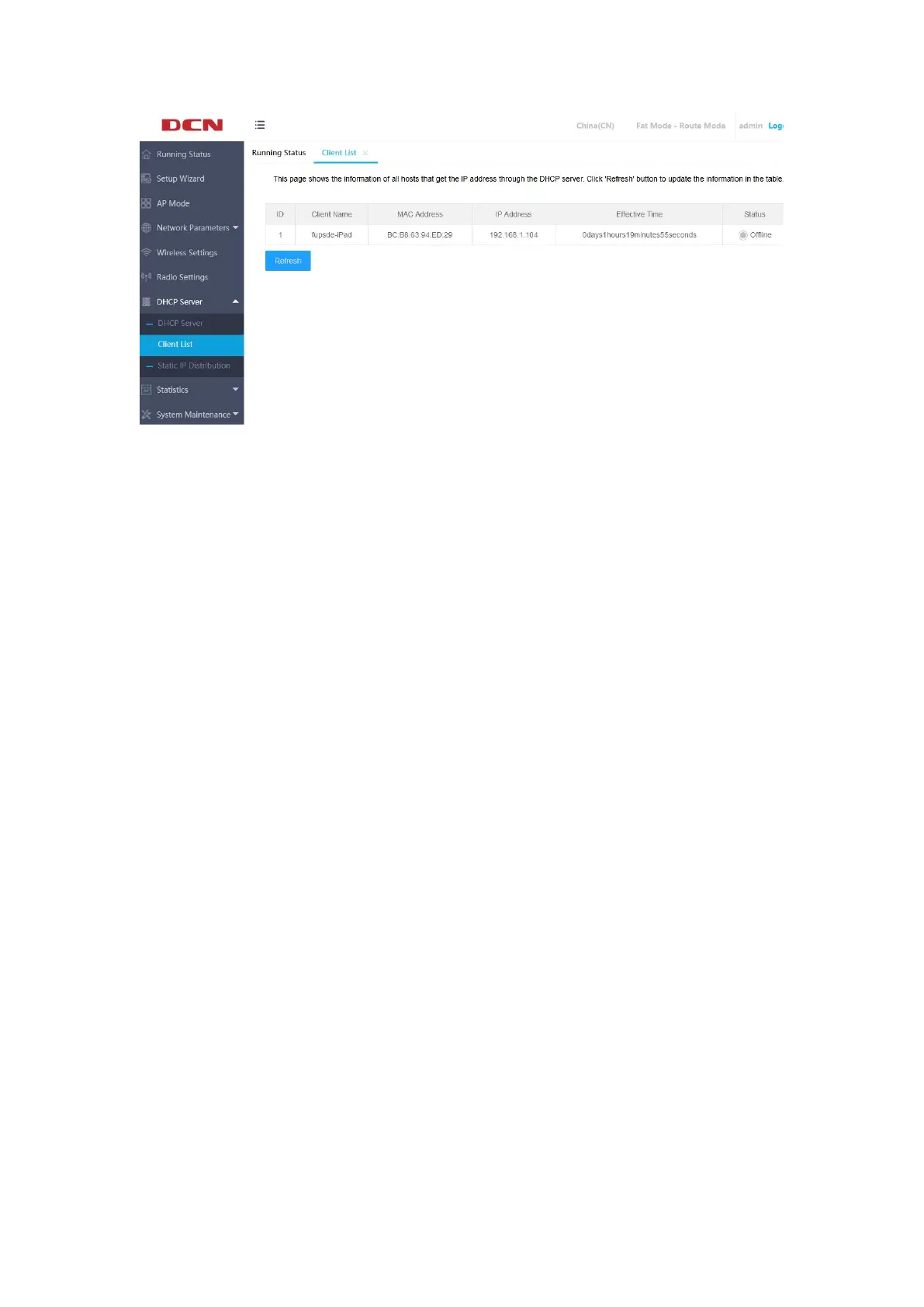
Client Name: This field displays the client name that has obtained the IP
address.
MAC Address: This field displays the MAC address of the client that obtained
the IP address.
IP Address: This field displays the IP address assigned by the DHCP server to
the client host.
Effective Time: This item refers to the lease period of the IP address obtained by
the client host. Each IP address has a certain lease time, and the client software will
automatically renew the lease before it expires.
Status: The online / offline status of the client that has obtained the IP address
is displayed here.。
5.6.3 Static IP Distribution
Click "DHCP Server">>"Static IP Distribution" on the left menu to manually set
a static IP address.
The static reserved IP address assignment function can reserve IP addresses for


 To Next Page