2 AP
2.1 WEB Login
Use POE (or local power) to charge the AP, connect the network port of the
management computer to the AP's LAN port (or the management host connects to
the AP's WLAN wirelessly), open the browser (recommended: Google, Firefox or
IE11) and enter the managem
https://192.168.1.10) to access the web configuration interface of the wireless AP.
The default login user name is
If the AP has no LAN port or no wired
connect to the AP's SSID (the default is DCN_WLAN) to access the AP.
If the network accessed by the AP has a DHCP server, the address of the AP
may be obtained dynamically. In this situation, the user should access the current I
address of the AP.
- 6 -
Use POE (or local power) to charge the AP, connect the network port of the
management computer to the AP's LAN port (or the management host connects to
the AP's WLAN wirelessly), open the browser (recommended: Google, Firefox or
IE11) and enter the managem
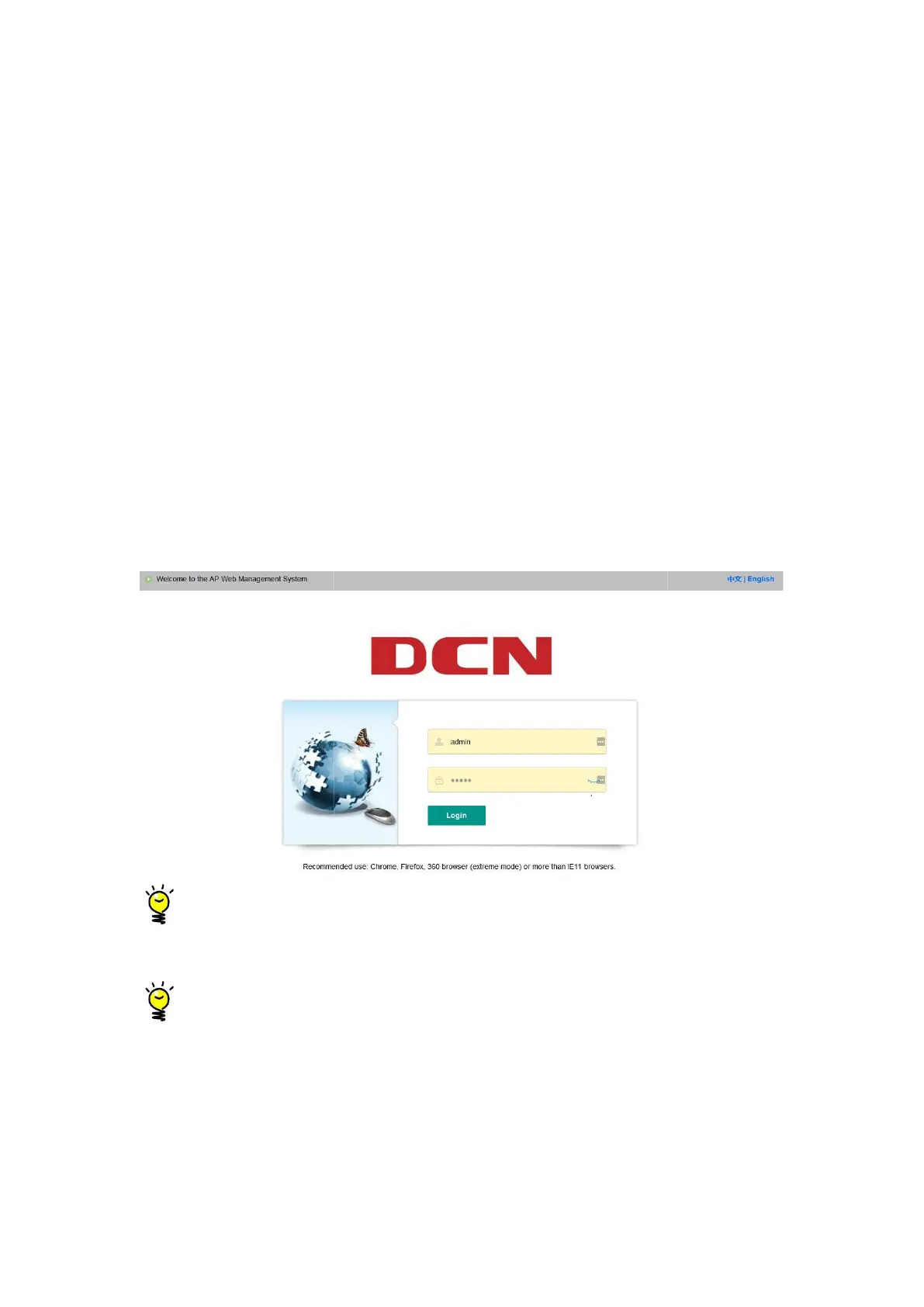
ent IP address on the LAN side (the default is
https://192.168.1.10) to access the web configuration interface of the wireless AP.
The default login user name is
admin, and the password is admin.
If the AP has no LAN port or no wired
client, you can u
connect to the AP's SSID (the default is DCN_WLAN) to access the AP.
If the network accessed by the AP has a DHCP server, the address of the AP
may be obtained dynamically. In this situation, the user should access the current I
Use POE (or local power) to charge the AP, connect the network port of the
management computer to the AP's LAN port (or the management host connects to
the AP's WLAN wirelessly), open the browser (recommended: Google, Firefox or
ent IP address on the LAN side (the default is
https://192.168.1.10) to access the web configuration interface of the wireless AP.
client to
connect to the AP's SSID (the default is DCN_WLAN) to access the AP.
If the network accessed by the AP has a DHCP server, the address of the AP
may be obtained dynamically. In this situation, the user should access the current I
P


 To Next Page