- 35 -
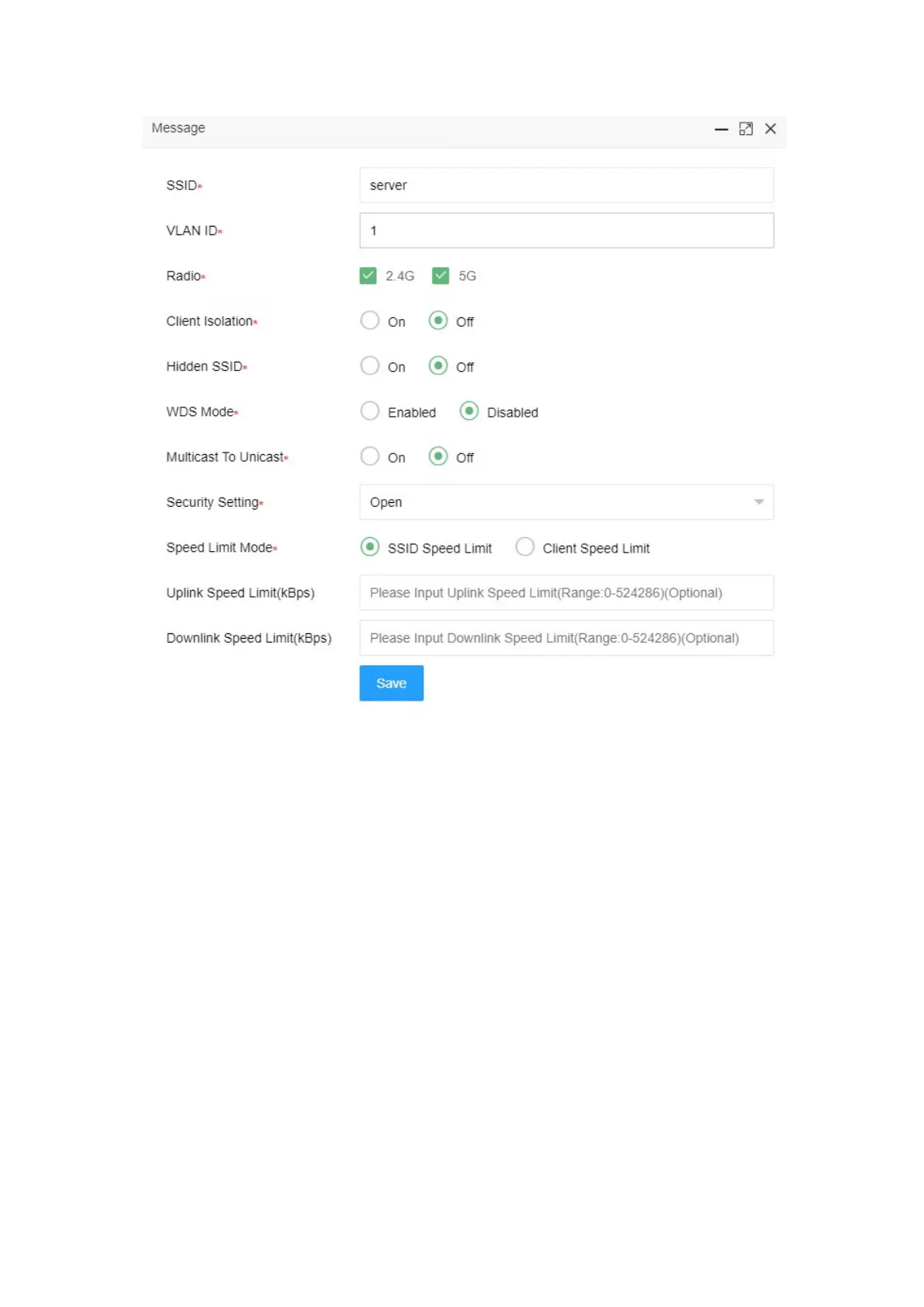
Radio 2.4G、5G check to enable
VLAN ID configure according to actual situation
SSID configure to “service”
Security setting select “Open”
Click <save> button
4.5.1.3 Verify configuration results
Enter the client statistics page, you can view the successfully online client。


 To Next Page