- 39 -
4.5.3.2 Configuration Steps
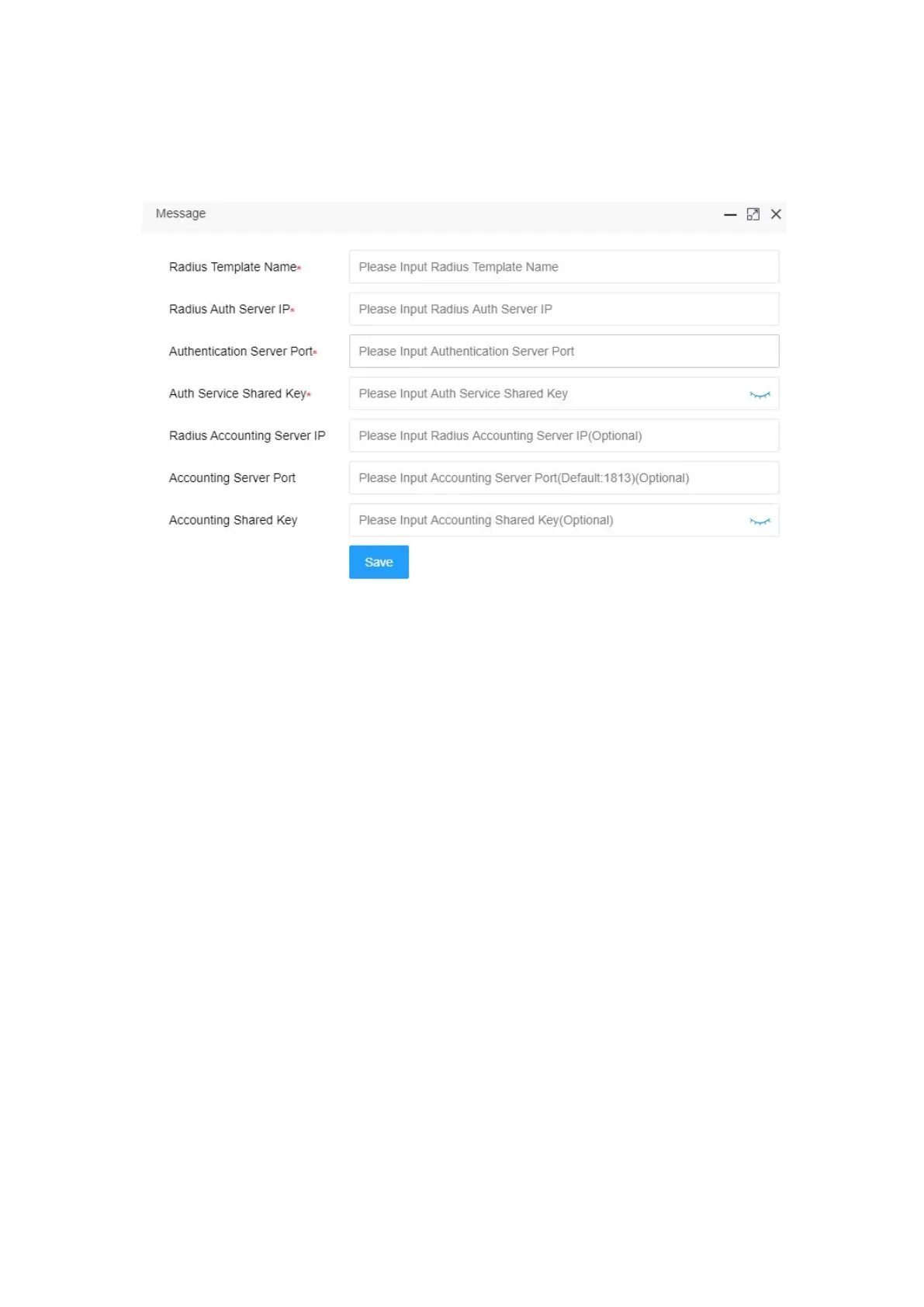
1. Login system maintenance,enter Radius template page.
Configure Radius template name to ‘Radius’
Configure the authentication server IP address and server port according to the
actual Radius server address
Configure shared key for authentication server settings
Click <save> button
2. Logging AP web, edit wireless configuration


 To Next Page