11
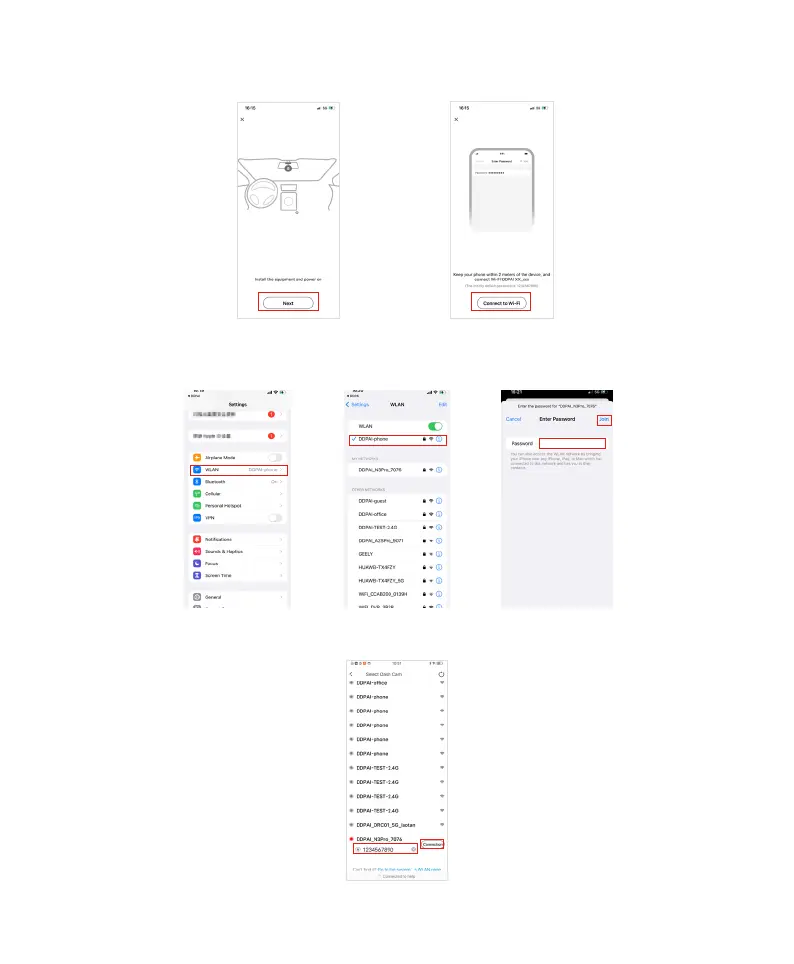
b. On the wizard page, click "Next" and "Connect Wi-Fi" , and the detected Dash Cam Wi-Fi will be displayed (e.g.,
DDPAI_N3 Pro_XXXX). Click "Connect".
c. Connect your smartphone to the Dash Cam's built-in Wi-Fi "DDPAI_N3 Pro_XXXX", with the default password:
1234567890.
•For iPhone: find settings, select "WLAN", and select the "DDPAI_N3 Pro_XXXX".
• Android: find Wi-Fi list, connect to the "DDPAI_N3 Pro_XXXX".
iPhone
Android



 To Next Page