9
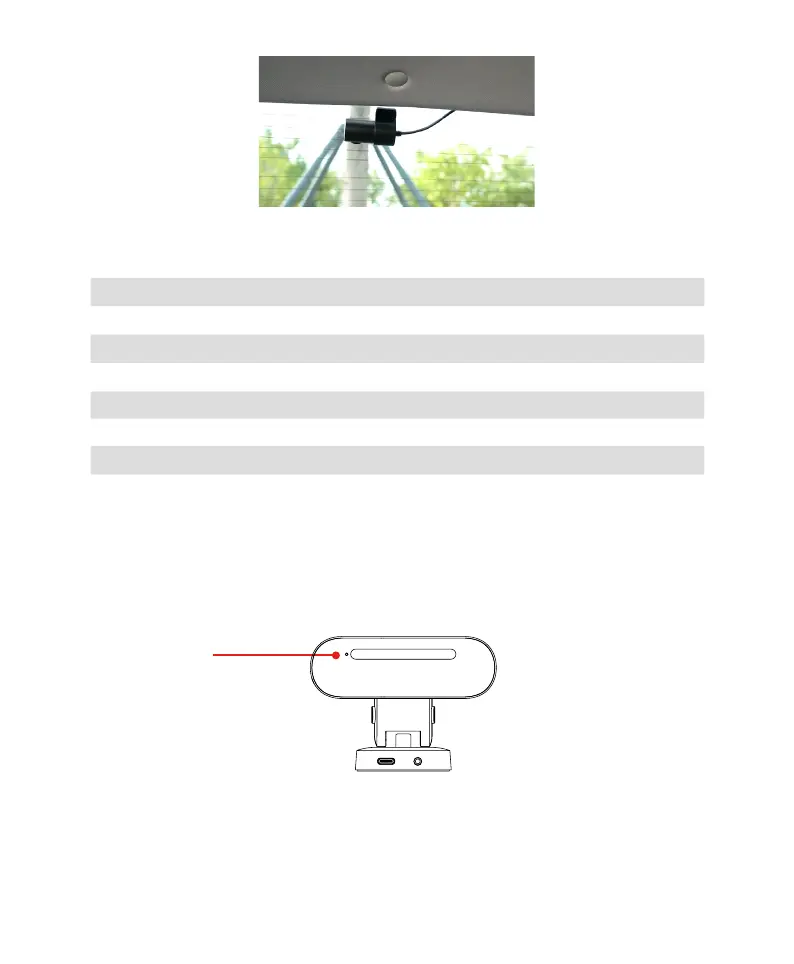
5. LED Status Light Indicator
Indicator Light Status of the Dash Cam
Off Powered off or Power Cable is Not Connected
Steady Purple Powering on or Upgrading
Flashing Purple Rapidly Tf Storage Card Inserted Failure or Storage Abnormality
Blinking Blue Normal Operating
Blinking Red Parking Monitoring
Off (The Rear Camera) Powered off or Power Cable is Not Connected
Steady Green (The Rear Camera) Normal Operating
6. Loop Recording
The Device automatically starts recording after powering on without any additional settings required.
Previous recordings will be overwritten in a loop when storage is full. Emergency events will be locked and not be
overwritten.Previous recordings will be overwritten in a loop when storage is full. Emergency events will be locked
and not be overwritten.
Note: Please download and save emergency events in time. If there are more than 10 emergency events, they will
be overwritten in a loop.
Recording



 To Next Page