1
1. Safety Instructions
Please read all of the the instructions thoroughly before attempting the installation or operation of this Dash Cam.
If any damage is caused by failure to follow the manual instructions, the warranty shall be void. This manual should
be kept properly for future reference.
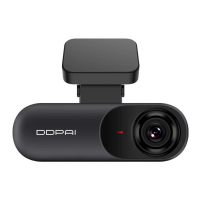
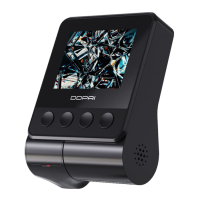
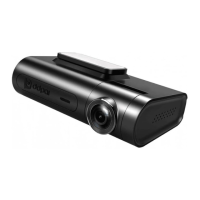
Thank you for purchasing the DDPAI N3 Pro ultra-high-definition digital Dash Cam (N3 Pro Dash Cam), which offers
high-quality captured images and a high-definition video experience.
The N3 Pro Dash Cam is equipped with a brand new 1/2.7-inch CMOS image sensor, 5-megapixel Ultra HD image,
D² save emergency dual storage, 24H parking monitoring, GPS, and other functions. With the built-in Wi-Fi, it
connects to the DDPAI App, which enables users to watch and download the captured videos and images in real-
time.
1.1 Safety Cautions
● Only suitable for motor vehicles.
● Only suitable for DC12V ~ 24V vehicles.
● Do not place the the N3 Pro Dash Cam in a humid environment, otherwise possible external or internal damage
will be caused.
● Do not expose the N3 Pro Dash Cam to rain, moisture or water, otherwise possible external or internal damage
will be caused.
● Do not attempt to disassemble or repair without permission. If there are any problems with the N3 Pro Dash
Cam or its accessories, please contact the seller DDPAI Customer Service for help.
● Do not expose the N3 Pro Dash Cam to overheating, dust environment, or use any chemicals or cleaning solvents
to clean the device.
● Clean the lens with a soft, damp cloth, and clean carefully to avoid scratches that could affect the quality of the
video.
● Avoid dropping, puncturing or disassembling.
● Do not use the N3 Pro Dash Cam in the environment below -4°F(-20°) or above 158°F (70°).
● Better to take off the camera from the vehicle when not in use for a long period of time to prevent from damages
caused by exposure to overheated environment.
● TF Memory Card: check whether there is any damages or cracks on the surface before inserting an external
memory card. Do not use memory cards that are obviously physically distorted or covered cracks, for there is a risk
of short circuits.
● Use the specified USB car charger included in the package, otherwise the Dash Cam may repeatedly restart due
to the mismatch of power supply.
● Check the DDPAI App runs normally before installation and confirm that the App can be connected to the Dash
Cam, please contact us if there is anything wrong: feedback@DDPAI.com.
● If your App fails to connect to the Dash Cam, check whether the relevant permission of running this App is given.
In order to function normally, all the permissions required by the App should be granted. For specific purposes,
please see the App User Agreement. If the failure still exists, please contact us: feedback@DDPAI.com.
1.2 Warnings
Failure to comply with safety warnings and regulations may result in serious injury or death.
● Keep gadgets out of reach of children.
● Be sure to use Specified accessories and designated parts. The use of other non-designated parts may damage
the equipment and lead to fire, electric shock or equipment failure.



 To Next Page