2
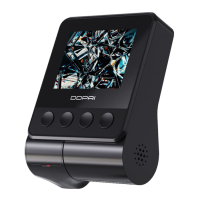
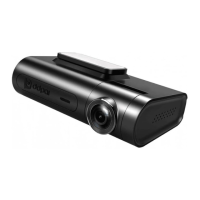
● If the N3 Pro Dash Cam is damaged or malfunctioning, please stop using immediately, then consult the seller.
Continued use may cause fires, electric shocks, or vehicle malfunctions. Do not install if it obstructs driving, to
avoid accidents.
● Do not install in areas that may block drivers’ sight, including but not limited to rearview mirrors or airbag
outlets:
1. Do not place the N3 Pro Dash Cam on the dashboard or in front of airbags when it is not secured.
2. Do not install the N3 Pro Dash Cam on the windshield when it is not secured, as it may fall and distract the
driver, causing a safety hazard.
● Do not install or perform any operations while driving. If necessary, pull over properly to ensure the safety before
using.
● Please note that the N3 Pro Dash Cam may infringe on privacy and other rights, depending on how the user uses
it. We do not assume any legal responsibility for the above scenarios.
● Due to the use of a wide-angle lens, some images may be distorted and differ from the actual image. This
phenomenon is not a malfunction but a characteristic of a wide-angle lens.
● some countries or states in the United States, drivers are prohibited from installing anything on the windshield or
in specific areas of the windshield. Owners/operators should install or use this equipment in compliance with local
laws.
1.3 User Agreement
By purchasing the N3 Pro, you agree to all terms and conditions of the preventive measures, precautions, warnings,
and warranty mentioned in this manual.
If you do not agree to any of the terms mentioned in this manual for any reason, please do not hesitate to contact
us: feedback@DDPAI.com.



 To Next Page