13
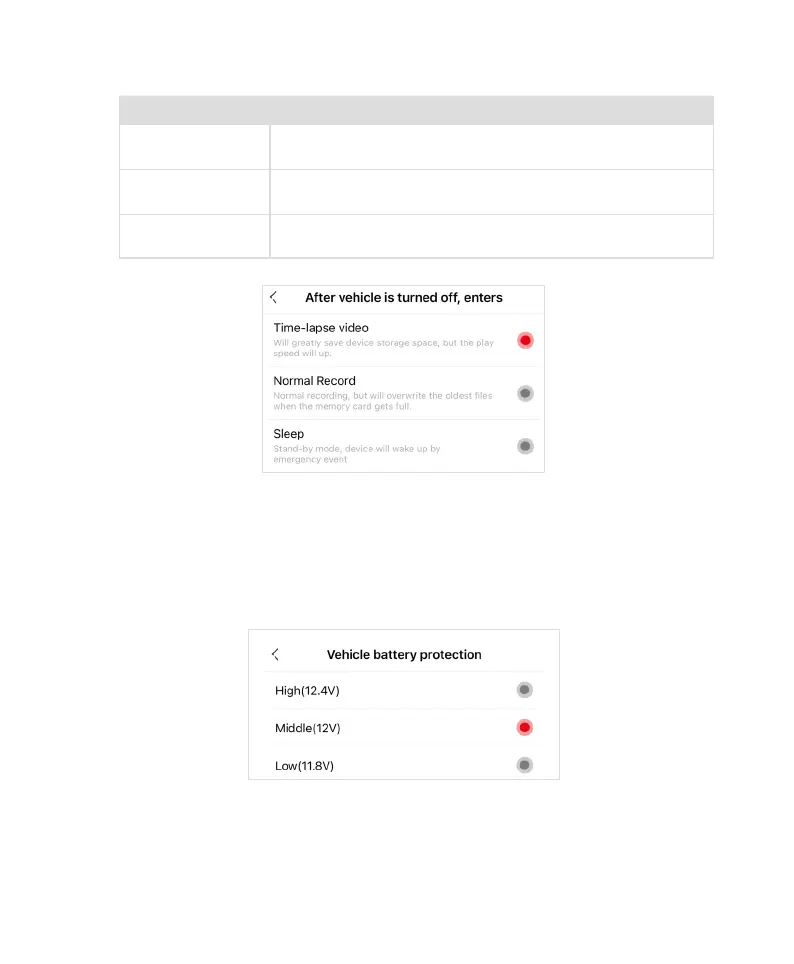
8.1 After vehicle is turned off enters
Options Description
Time-Lapse Recording
It will save a considerable amount of device storage space, but the viewing
speed will be faster. Time-Lapse Recording is selected by default.
Normal Recording
The device will record continuously and overwrite the oldest files when the
storage is full.
Sleep Mode
The device will go into sleep mode and will be awakened when an
emergency event is detected.
8.2 Setting Parking Monitoring Duration
After the vehicle engine is turned off and reaches this duration, the device will go into sleep mode to protect
the vehicle’s battery. The options include 12H, 24H, and 48H, with 24H selected by default.
Note: When setting this timer, please consider the monitoring duration in advance to avoid the risk of battery
depletion and to prevent the device from affecting the vehicle’s startup.
8.3 Vehicle Battery Protection
Set the minimum safe voltage: when the battery voltage is detected to be lower than the set safe voltage, the
recorder will automatically shut down to avoid continuous battery depletion and protect the vehicle’s battery.
The default setting is Middle (12V).



 To Next Page