KD2 Pro 5 TAKING MEASUREMENTS
5 Taking Measurements
Making thermal measurements with the KD2 Pro. Section 5 helps
you get accurate measurements.
Note: If the temperature of the sample is different from the tem-
perature of the needle, the needle must equilibrate to the surrounding
temperature before beginning a reading.
1. Attach appropriate sensor then turn on the KD2 Pro.
2. Properly insert the needle into the material to be measured.
(See “Installing the sensors” in this section for instructions.)
3. When the KD2 Pro turns on, you should be in the Main menu.
(Figure 2) If not, press the Menu key until you arrive there.
Press Enter to begin the measurement.
4. An icon appears on the left and right side of the screen. The
icon at left indicates the type of sensor connected. The cir-
cular icon indicates that a reading is in process. It changes
to a thermometer icon to indicate whether the measurement is
currently in heating or cooling mode; when the thermometer
is rising, heat is applied to the needle, and when it is falling,
heat is off. A progress bar at the bottom of the screen shows
the elapsed time.
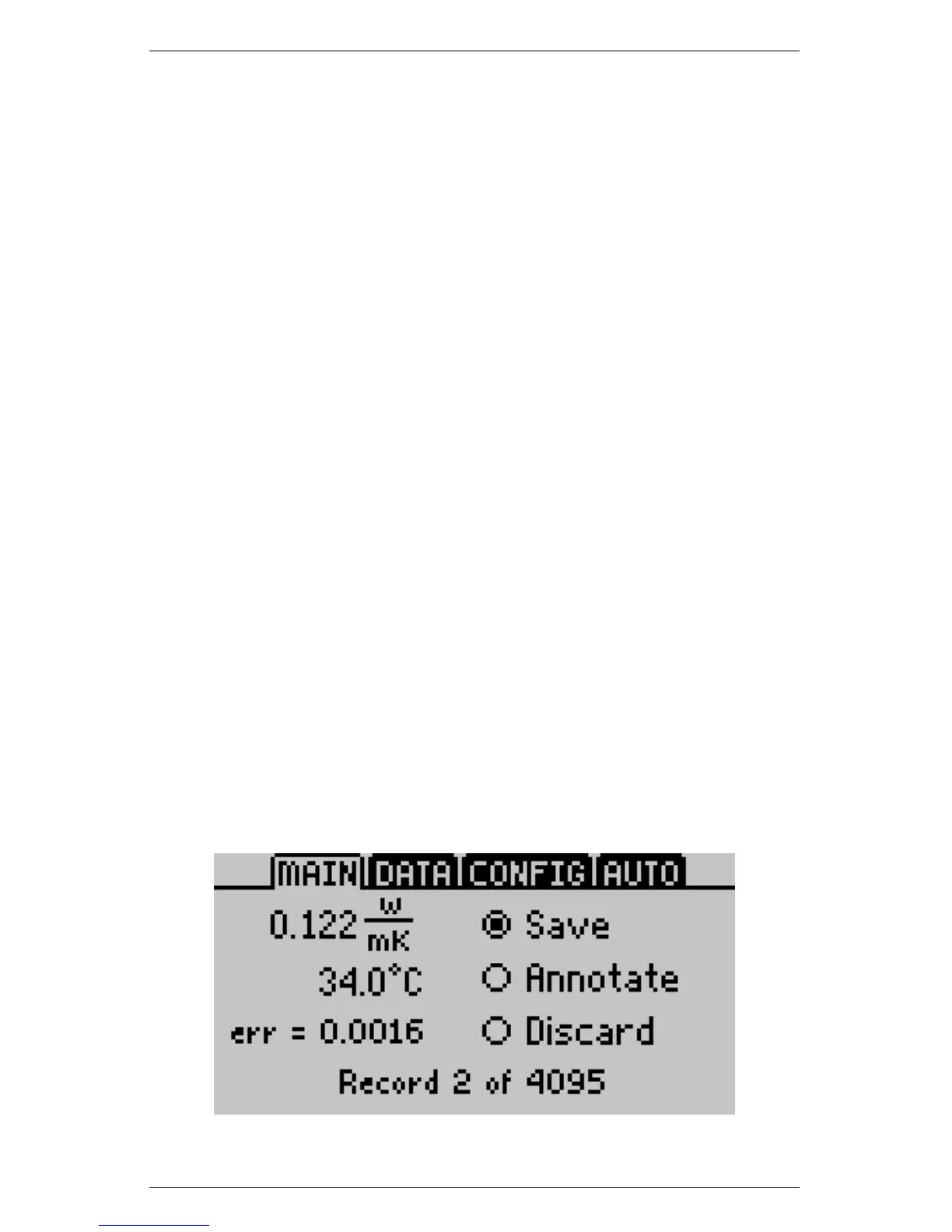
5. When the reading is complete, the results display as follows.
41



 To Next Page