GHD
™
& Scout
™
User’s Manual
GHD
™
& Scout
™
User’s Manual
24
25/Aug/2010
To switch from Strongest Signal target to Faster target, press and
release the FAST button. The speed of the vehicle returning the
strongest signal will continue to appear in the left window, and the
speed of the next strongest target going faster than the strongest
will appear in the right window. The system will remain in Faster
mode until you press the FAST button again or until you lock a speed,
which automatically switches the gun back to the Strongest Signal
target.
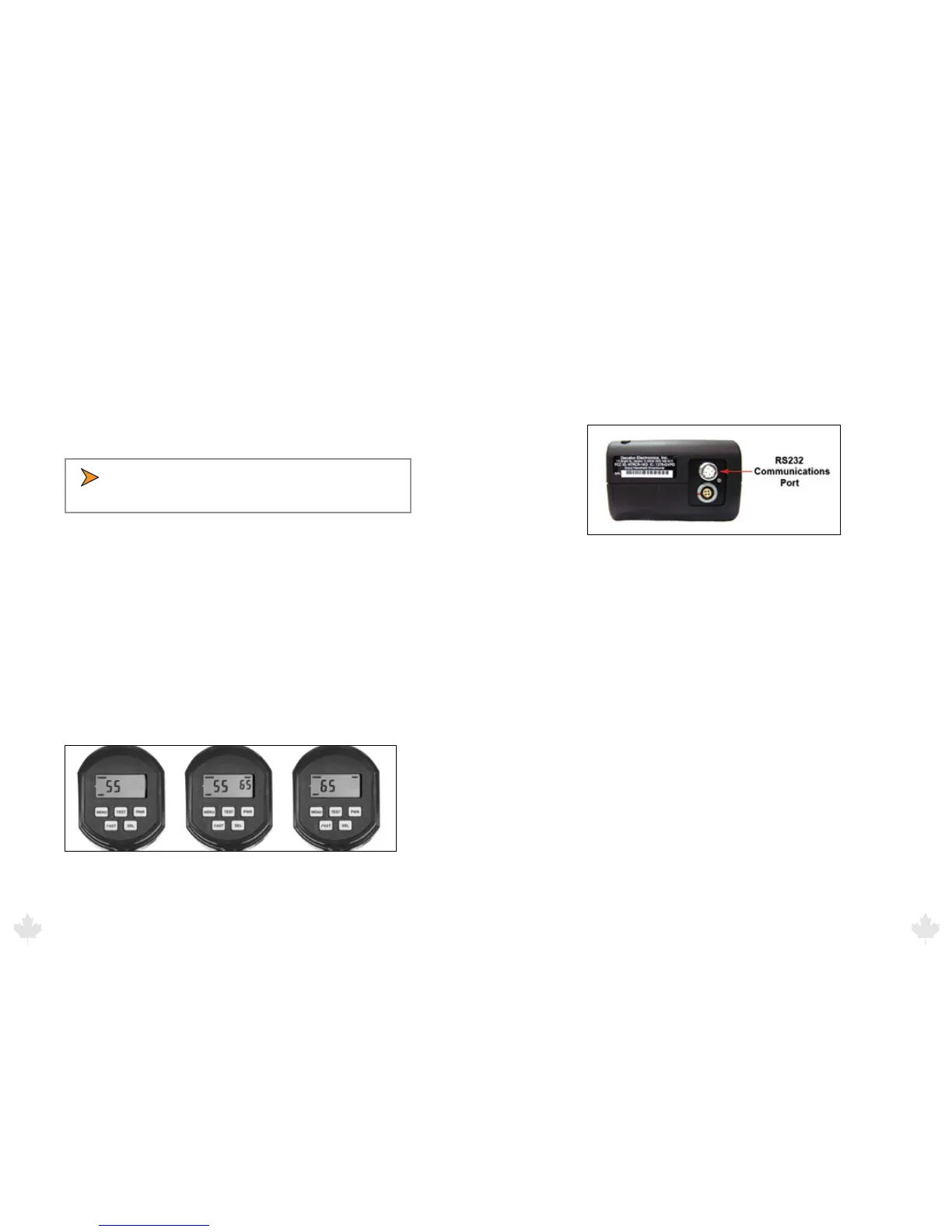
6. Serial Output Mode
The GHD and the SCOUT have an RS232 communications port on
the bottom of the handle. Using a custom RS232 communications
cable, you can connect the radar and transmit data to display signs,
in-car video, and PCs for recording and analyzing speed data. Figure
6 illustrates the location using the SCOUT as an example.
Figure 6
Port location as shown on the SCOUT.
• In Faster-Toggle mode, the radar gun locks only the
strongest vehicle speed.
5.6 Faster-Hold Mode
To use Faster-Hold mode, make sure you have selected Faster-Hold
in the menu (FSt 0). Press and continue to hold the FAST button.
When active, the faster vehicle speed is in the left window. If there
are no faster vehicles, the display will be blank. When you release the
FAST button, the gun will automatically switch back to the strongest
signal.
If you lock the speed of the fast vehicle, the LOCK and FAST icons will
designate that the locked speed is a faster target lock. If these icons
do not appear, the lock is on the strongest target.
Figure 5.6
Strongest signal > Faster–Toggle > Faster–Hold
7. Performance Tips
Understanding potential radar interference and what to do when it
occurs can greatly increase the radar’s performance.
7.1 How Radar Works
Determining a vehicle’s speed begins with the radar gun transmitting
a beam of microwave energy (radio waves) at an approaching or
departing target vehicle. When energy from this beam strikes a
vehicle, a small amount of the beam is reected back to the antenna.
The reected signal frequency shifts by an amount proportional to
the speed of the target vehicle. This is known as the Doppler eect.
The radar device then determines the target vehicle speed from the
dierence in frequency between the reected and transmitted signal.
7.2 Interference Sources
When properly installed and operated, Doppler radar technology
is accurate and reliable. However, variations in the environment
can cause situations and circumstances, which can cause spurious
responses which are readily identied by a qualied operator. Signs
that a speed is spurious can include the following characteristics:
25/Aug/2010
25



 To Next Page