SI-3
™
User’s Manual
20
6. Testing the Device
6.1 Tuning Fork Test
You can verify signal processing accuracy by using a tuning fork,
which comes with the radar. There is a one minute time window
from when the SI-3™ is rst powered on in which you can test the
unit using a tuning fork. After one minute the SI-3™ switches to
directional mode and the fork will no longer be read.
To begin the test, tap the tines of the fork on a rm, non-metallic
surface. The tuning fork will ring audibly. Then place the tuning fork
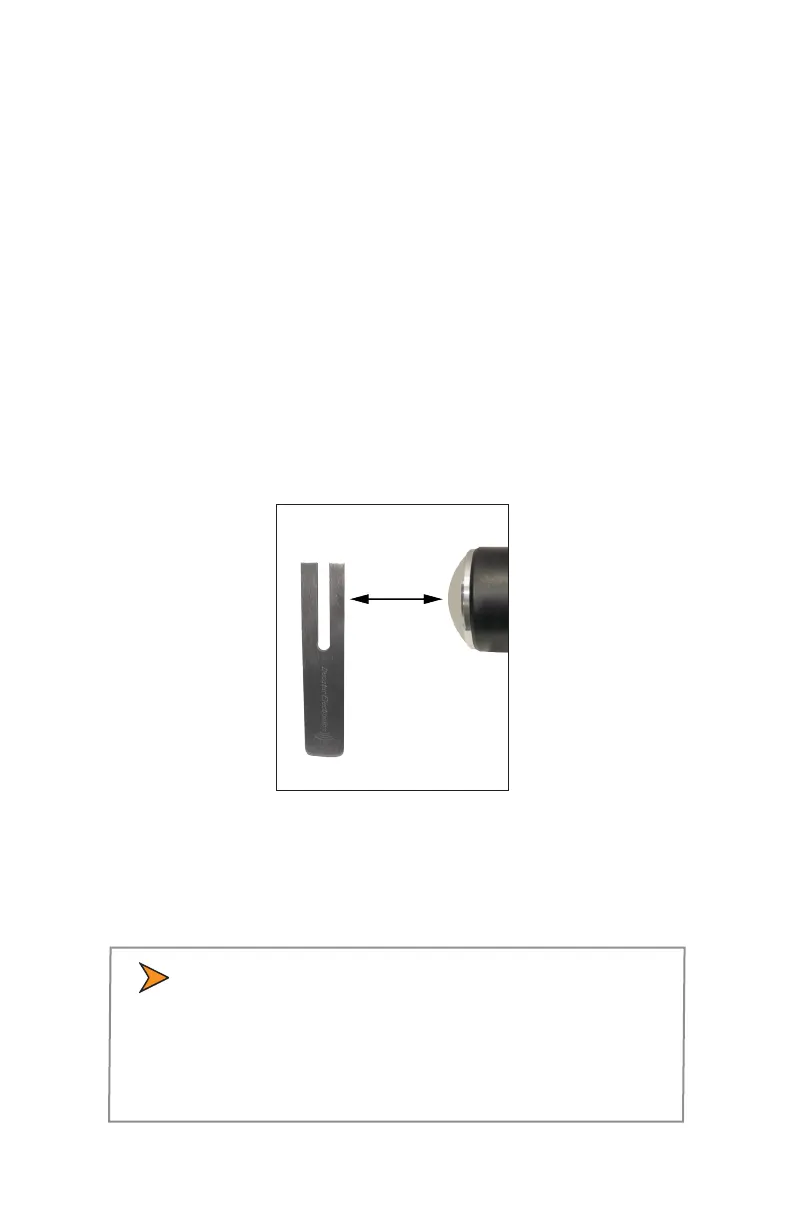
that you tapped with the narrow side facing about 3 inches directly
in front of the antenna. Compare the speed in the display window to
the speed stamped on the fork. If the dierence is within ±1 display
unit, the SI-3™ is working properly.
Figure 6.1
Place the vibrating tuning fork about 3 inches in front of the antenna
If the device does not display the expected speed, contact Decatur
Electronics Customer Service at 800.428.4315 to arrange for service.
• Only tap the tuning fork against hard plastic, wood,
and materials that are softer than metal. Repeatedly
tapping the tines on hard surfaces, such as metal and
concrete, can damage the tines and invalidate the fork
for future tests.



 To Next Page