SI-3
™
User’s Manual
9
4. Conguring the SI-3™
4.1 Equipment Needed
• SI-3™ radar device
• SI-3™ Programming cable (S769-127-0)
• PC with either a usable RS232 serial port or a USB-to-RS232
adapter.
• RS232 cable to connect between the Power and
Communications adapter and the PC (if needed). This cable is a
9-pin RS232 cable with a male connector on one end and female
connector on the other.
• SI-3™ conguration USB Flash Drive (S785-1-0)
• 12V power supply
4.2 Device Conguration
1. Apply 12VDC power to the SI-3™ through the programming
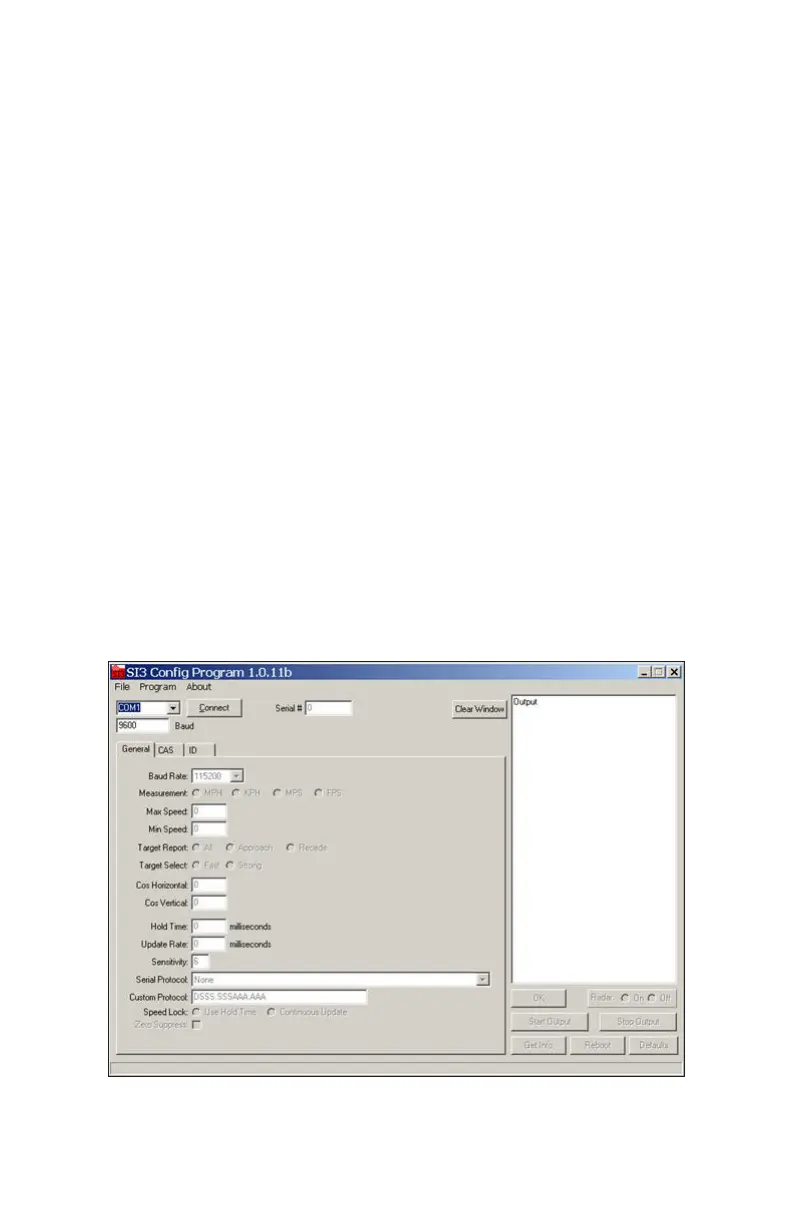
cable. Open and run the SI-3™ Cong (conguration) program;
the opening screen is shown in Figure 4.2a.
Figure 4.2a
Opening Screen



 To Next Page