Page: 55
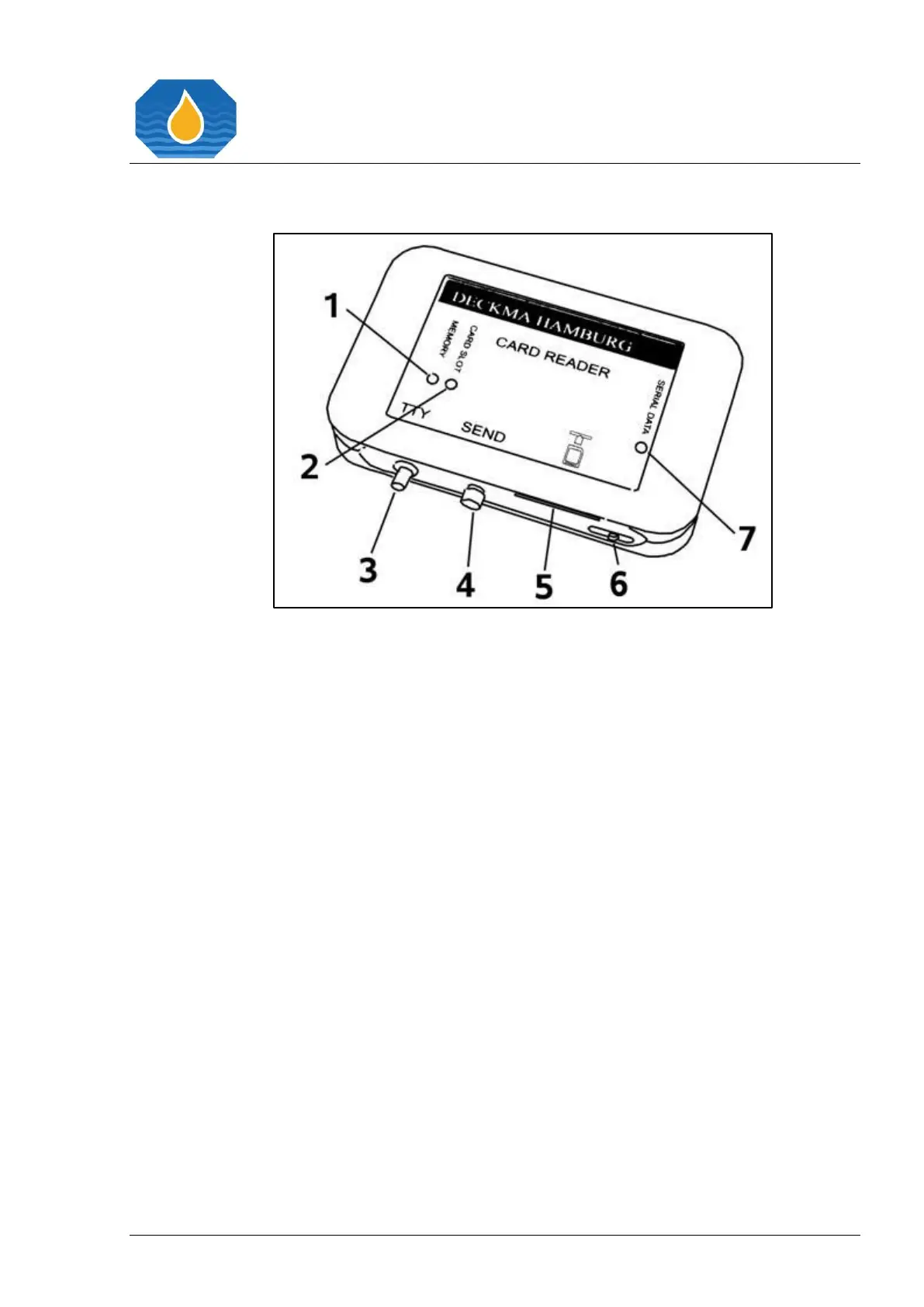
14.1 OMD-CR Memory Card Reader
Figure 27. OMD-CR Memory Card Reader
Serial Interface Connector
DECKMA Hamburg oil in water monitors store certain data according to IMO
Requirements in a memory card. The data stored by any OMD-24 Unit can be displayed
with any other OMD-24 Unit.
Additionally, the data can be accessed with the DECKMA HAMBURG OMD-CR card reader.
The OMD-CR card reader allows to copy certain memory card data to a file on a computer,
so that it can be processed, browsed, or printed, with only brief interruption of the 15
ppm Bilge Alarm Monitor operation. Please note that only the data requested by
MEPC.107(49) (Date, Time, Alarm Status, Separator Status) can be copied to the
computer.



 To Next Page