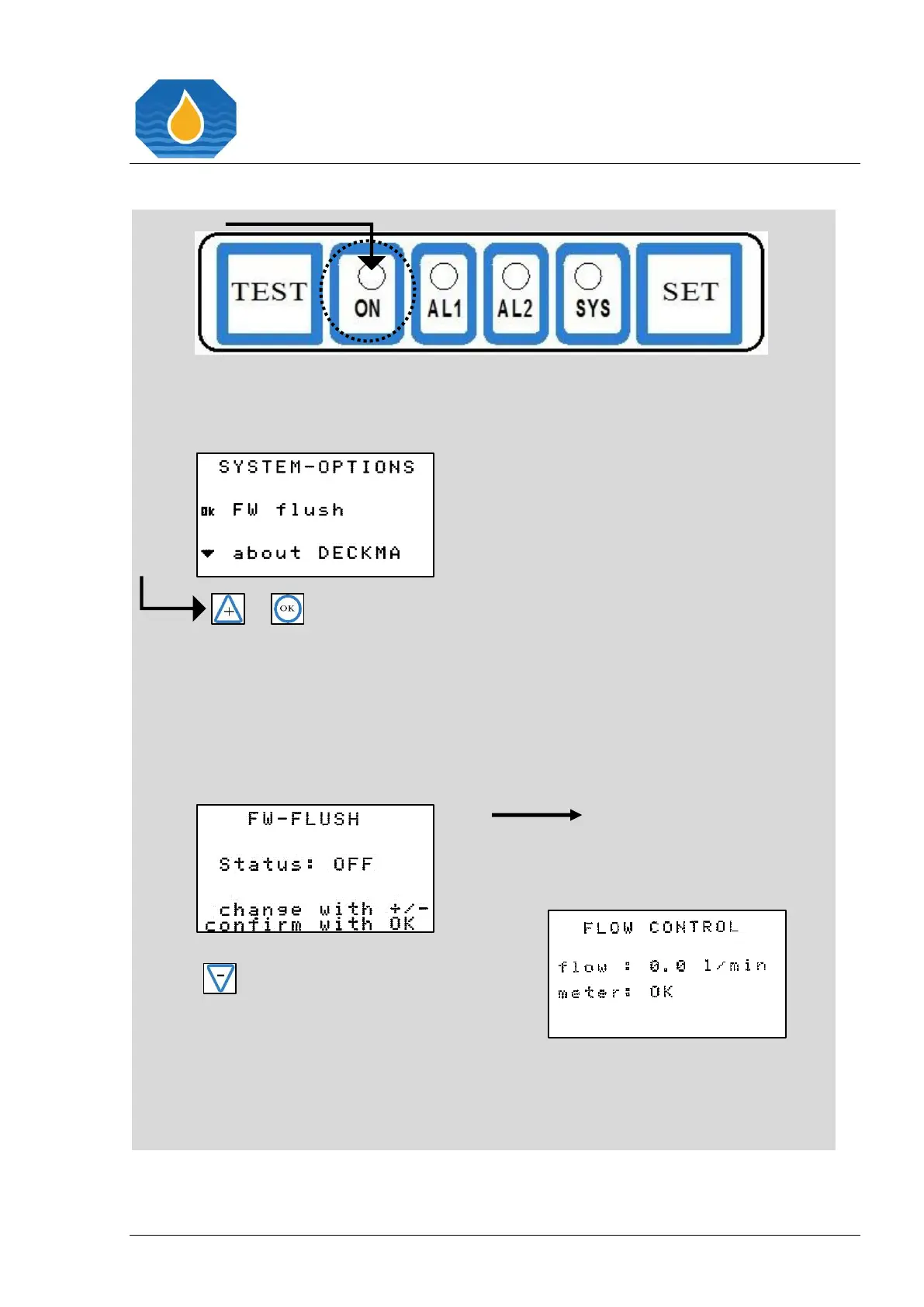
Selecting the “ON” button directly
leads into the “SYSTEM-OPTIONS”
menu.
or
If you want to switch on the status,
press the “+” button and confirm
with “OK”.
If you want to switch off the status,
press the “- “ button and confirm
with “OK”.
The “- “ button leads you into the
initial display.
Additionally, you can adjust the
cleaning frequency according the



 To Next Page