18
3. Operating and Programming
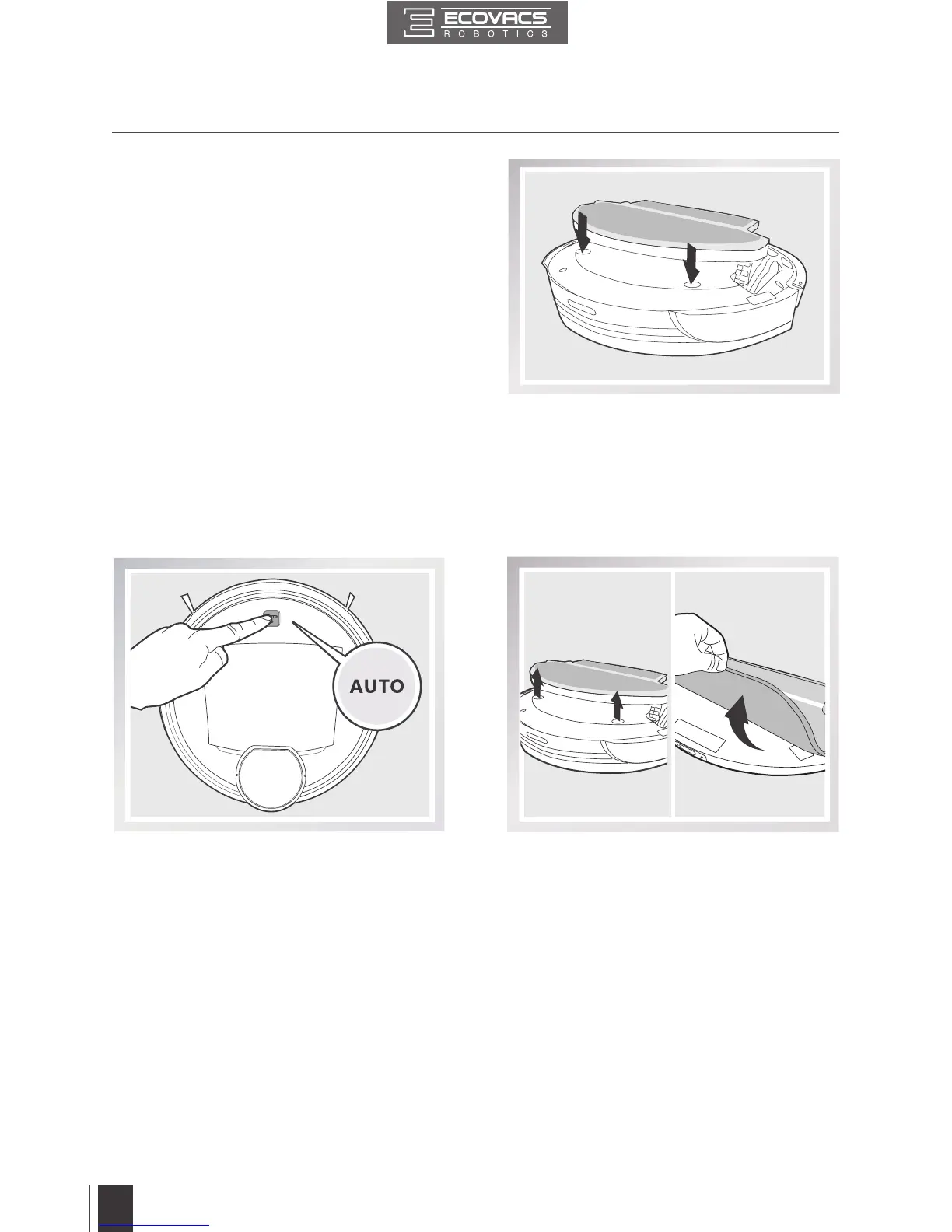
Start Remove
Select the desired Cleaning Mode. DEEBOT
sweeps, lifts, vacuums, mops and dries in
the selected mode.
After DEEBOT nishes cleaning, remove the
Advanced Wet/Dry Reservoir from DEEBOT,
empty any remaining water, and remove the
Advanced Wet/Dry Cleaning Cloth.
Attach the Advanced Wet/Dry Reservoir to
the bottom of the robot. Insert the tabs on the
Advanced Wet/Dry Reservoir into the Advanced
Wet/Dry Reservoir Slots on the bottom of the
robot until you hear a click.



 To Next Page