12
Operating in Standby Mode (continued)
3 Entry delay 30 seconds There are 30 seconds of entry delay time with a visual countdown for
disarming. Once an intrusion has occurred (zone triggered under ARM
status), the alarm siren sounds for 1 minute and the Smart Panel ashes
RED every 1.5 seconds with the triggered zone indicated, until the system is
disarmed.
To disarm the system, enter the 4-Digit PIN or press on the remote
control.
4 Return to ARM mode after the initial triggering After the initial triggering, the alarm will immediately sound, without delay, if
any other sensors are triggered.
Operating in Alert Alert Mode
In Alert mode ( ), the Smart Panel chime sounds and the Smart Panel ashes GREEN every 1.5 seconds and indicates the triggered
zone, when the system detects a visitor in the protected area.
ALERT Mode Default Setting:
Sensor Zone Status (MODE)
Door/Window Sensor 1 ALERT
Door/Window Sensor 2 ALERT
Motion Sensor 8 ALERT
ENTERING ALERT MODE
On the Key Fob Remote: Press to activate.
On the Smart Panel: First make sure the Smart Panel is in STANDBY mode, and then enter into ALERT mode following these steps:
Step Procedure Example
1 Ensure you are in STANDBY mode by entering
the default PIN of 1 2 3 4 OR your new 4-digit
PIN and pressing the Enter button.
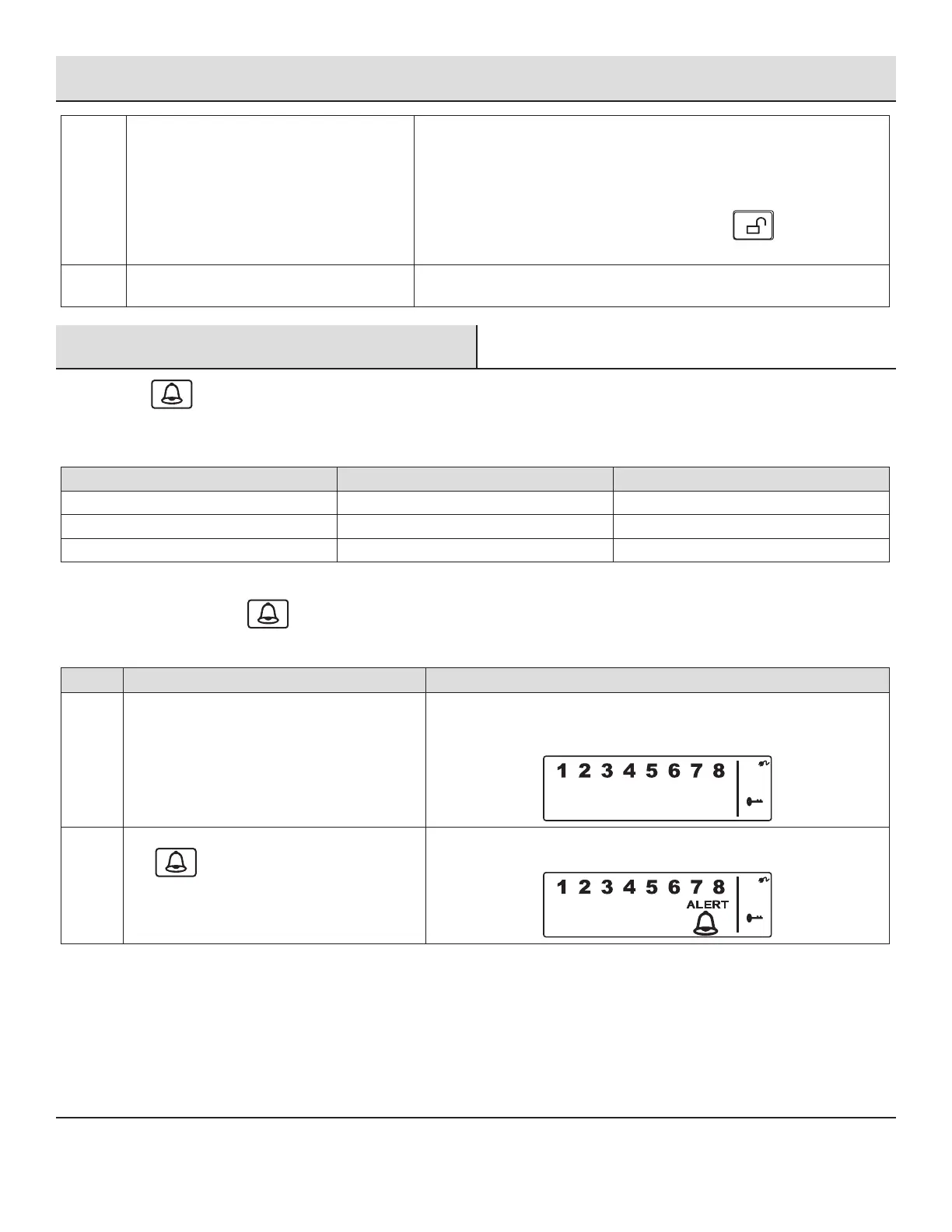
The Smart Panel displays this image when in STANDY mode. One beep
indicates that you entered a valid PIN. Three beeps indicate that an invalid
operation was performed.
2 Enter your 4-digit PIN, press the Enter button,
and for ALERT mode.
The system enters ALERT mode. If the Zone is enabled, a number appears
as displayed in this image:


 To Next Page