13 HOMEDEPOT.COM
Please contact 844-212-0200 for further assistance.
Operating in Alert Alert Mode (continued)
EXITING ALERT MODE
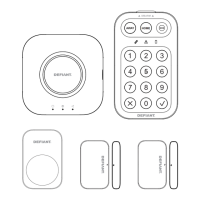
On the Smart Panel: Enter your 4-digit PIN followed by Enter to exit ALERT mode.
On the Key Fob Remote Control: Press to exit ALERT mode.
ZONE SETTINGS
Programming each zone in ALERT mode:
Step Procedure Example
1 Ensure you are in STANDBY mode by entering the
default PIN of 1 2 3 4 OR your new 4-digit PIN and
pressing the Enter button.
The Smart Panel displays this image when in STANDY mode. One
beep indicates that you entered a valid PIN. Three beeps indicate
that an invalid operation was performed.
2 Enter your 4-digit PIN and press the Enter button. The Smart Phone Panel displays this image:
3
Press the Enter button and to set ALERT
mode.
Toggle 1 2 3 4 5 6 7 8 to turn each zone ON or OFF. If no number
appears, the zone is turned OFF.
The Smart Panel displays this image:
4 Press the Enter button to conrm the setting and
return the Smart Panel to STANDBY.


 To Next Page