34
DAC-510E-EN-BF
Note: A DDC is not required for the DDU-100 AED to operate. Even if a DDC card is not
installed, basic essential information will still be recorded internally. The AED will still operate
properly even after a “replace memory card” message.
5.3 Replacing the Lithium 9V ASI Battery
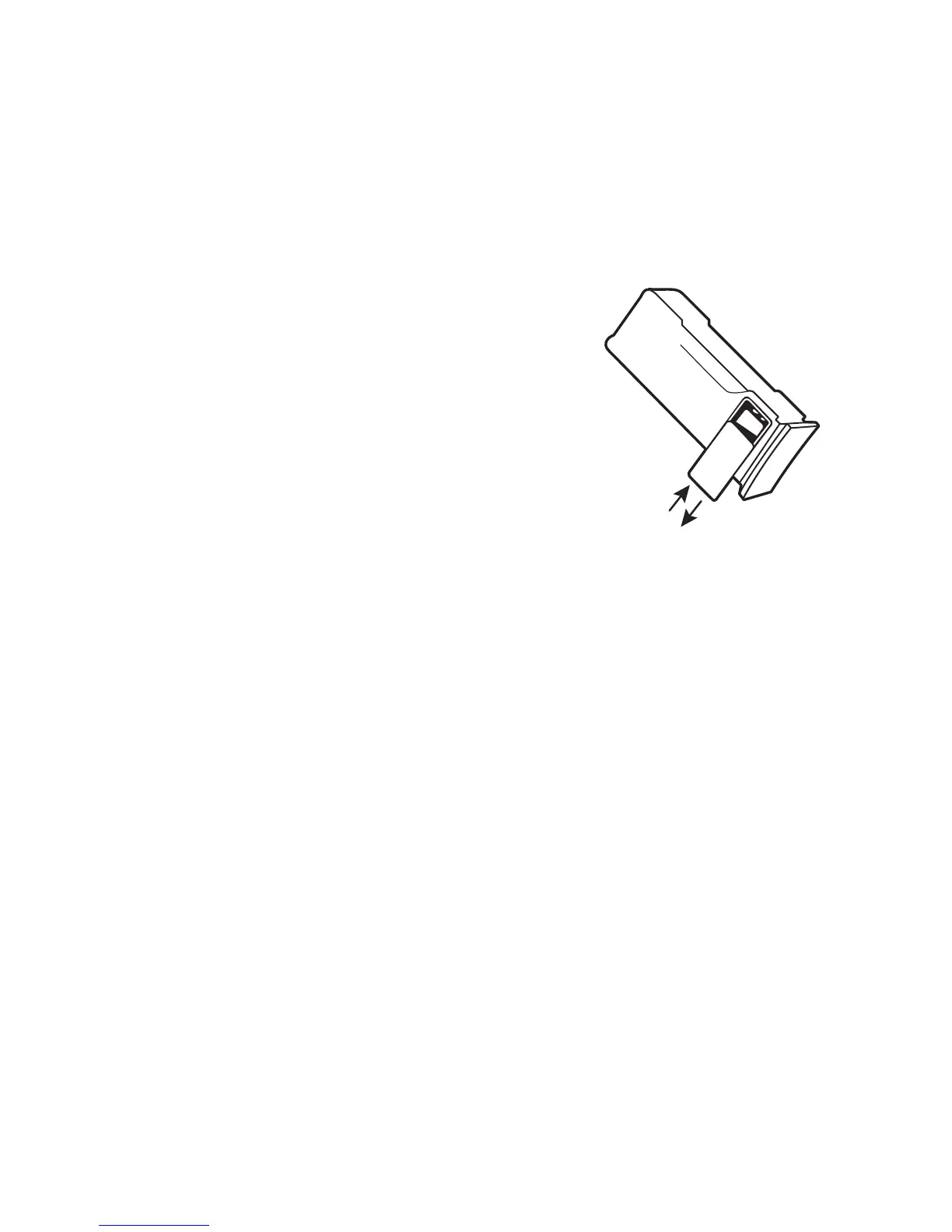
The 9V ASI battery is located in the battery pack in the 9V
battery compartment (see figure). To install, remove the cover
covering the 9V battery compartment by pushing on it sideways.
The cover will slide approximately a 1/4 inch and then can be
detached from the battery pack. Insert the 9V battery into the 9V
battery compartment so that the contacts on the battery touch
the contacts in the battery pack. The orientation of the battery
contacts is shown in a picture on the inside bottom of the 9V
batterycompartment.Replacethe9Vbatterycompartmentdoor
by reversing the process used to remove the door.
If the battery pack is stored out of the AED for an extended period of time, removal of the 9V
batterywillextendthe9Vbattery’slife.Notethatinanemergencysituation,thebatterypackmay
be used without a 9V battery. If needed, a non-lithium based 9V battery may also be used, but
standby status indication life will be reduced.
Once the fresh 9V battery is installed, the battery pack status LED should periodically flash green
to indicate a ready state. If the indicator does not flash, either the battery pack is defective or
the 9V battery is discharged. Once the battery pack is installed into the unit, the DDU-100AED’s
status indicator should periodically flash green.
Note: The unit will operate without a 9V battery installed, but active status indication and
automatic self-tests will not be provided. Status can still be checked by turning the unit on.


 To Next Page