38
DAC-510E-EN-BF
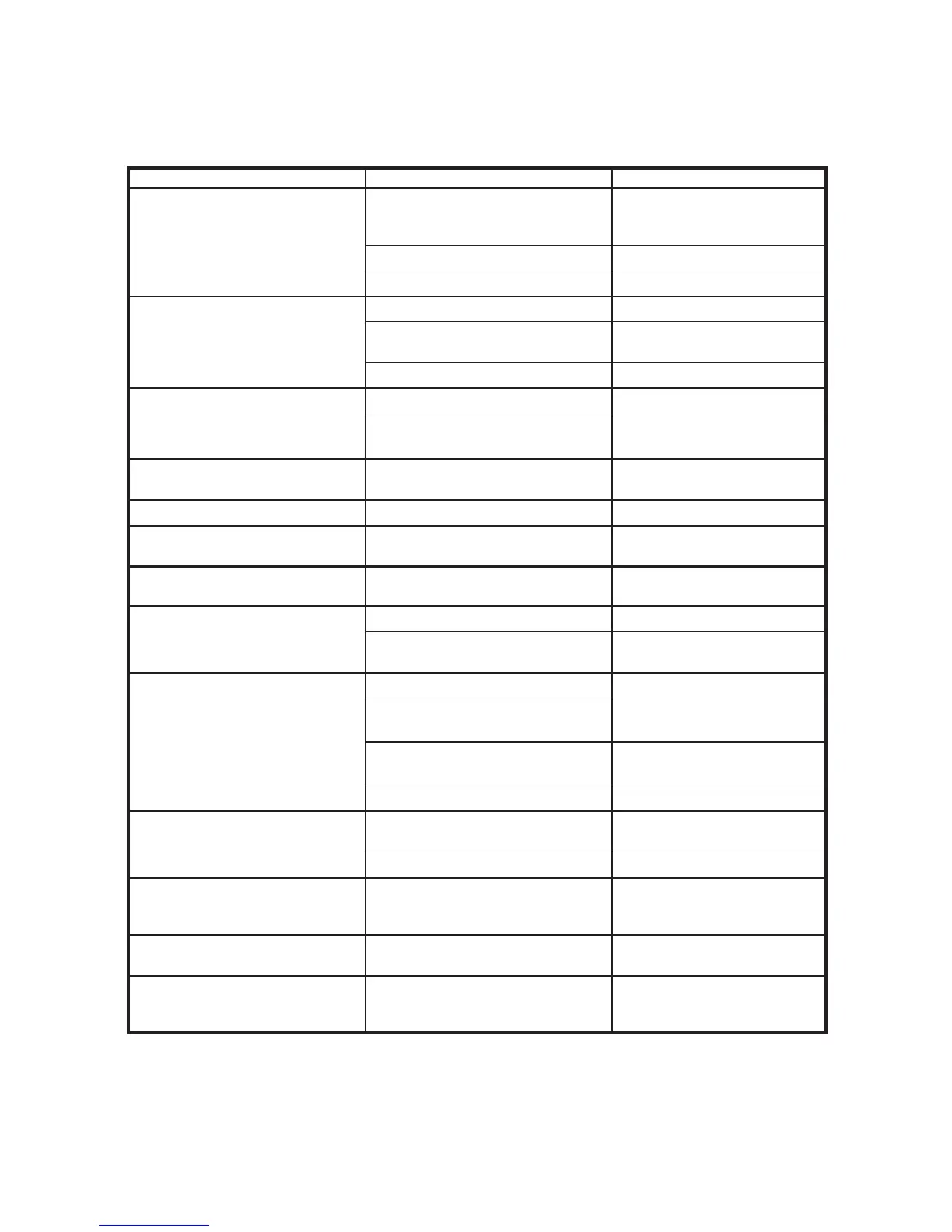
Symptom Possible Cause Corrective Action
“Plug in pads connector” voice
prompt
Connector not in properly
Make sure pads connector
is oriented correctly and fully
inserted
Padconnectorbroken Replacepads
Unit’sconnectorbroken Returnunitforservicing
“Apply pads to patient’s bare
chest as shown” voice prompt
Padsnotconnectedtopatient Placepadsonpatient
Padsnotmakinggoodconnectionto
patient
Check pad connection to patient
Padsorpadcabledamaged Replacepads
“Poor pad contact to patient”
or “Press pads firmly” voice
prompt
Dry pads Replacepads
Partialpadconnection
Check that pads are placed
securely on patient
“Check pads” voice prompt
Padstouching
Separate pads and place
correctly on patient
“Stop motion” voice prompt
Patientmotionhasbeendetected Stop patient motion
“Stop interference” voice
prompt
External interference has been
detected
Stop external interference
“Analyzing interrupted” voice
prompt
Motion or interference detected Stop motion or interference
“Shock cancelled” voice prompt
Patient’sECGrhythmchanged No action necessary
Shock button not pushed within 30
seconds
Pushshockbuttonwithin30
seconds
“Shock not delivered” voice
prompt
Low battery – insufficient to charge Replacebatterypack
Hardware failure
RunmanuallyinitiatedSelf-Test,
return unit for servicing
Bad pad to patient connection
Check that pads are placed
securely on patient
Dry pads Replacepads
“Replace memory card” voice
prompt
DDC card is full
ReplaceDDCcardwithacard
that is not full
DDC has failed ReplaceDDCcard
“Pads missing” voice prompt
Padsnotconnected
Make sure pads connector
is oriented correctly and fully
inserted into unit
Unit makes periodic “beep”
sound
Unit has detected a condition that
needs user attention
Turn unit on to run the power-on
Self-Test
All indicator LEDs blinking, unit
does not operate
Hardware failure
RunmanuallyinitiatedSelf-Test,
return unit for servicing


 To Next Page