Delem
V0614, 3.7
5. I/O test
5.1. Test screen
Description
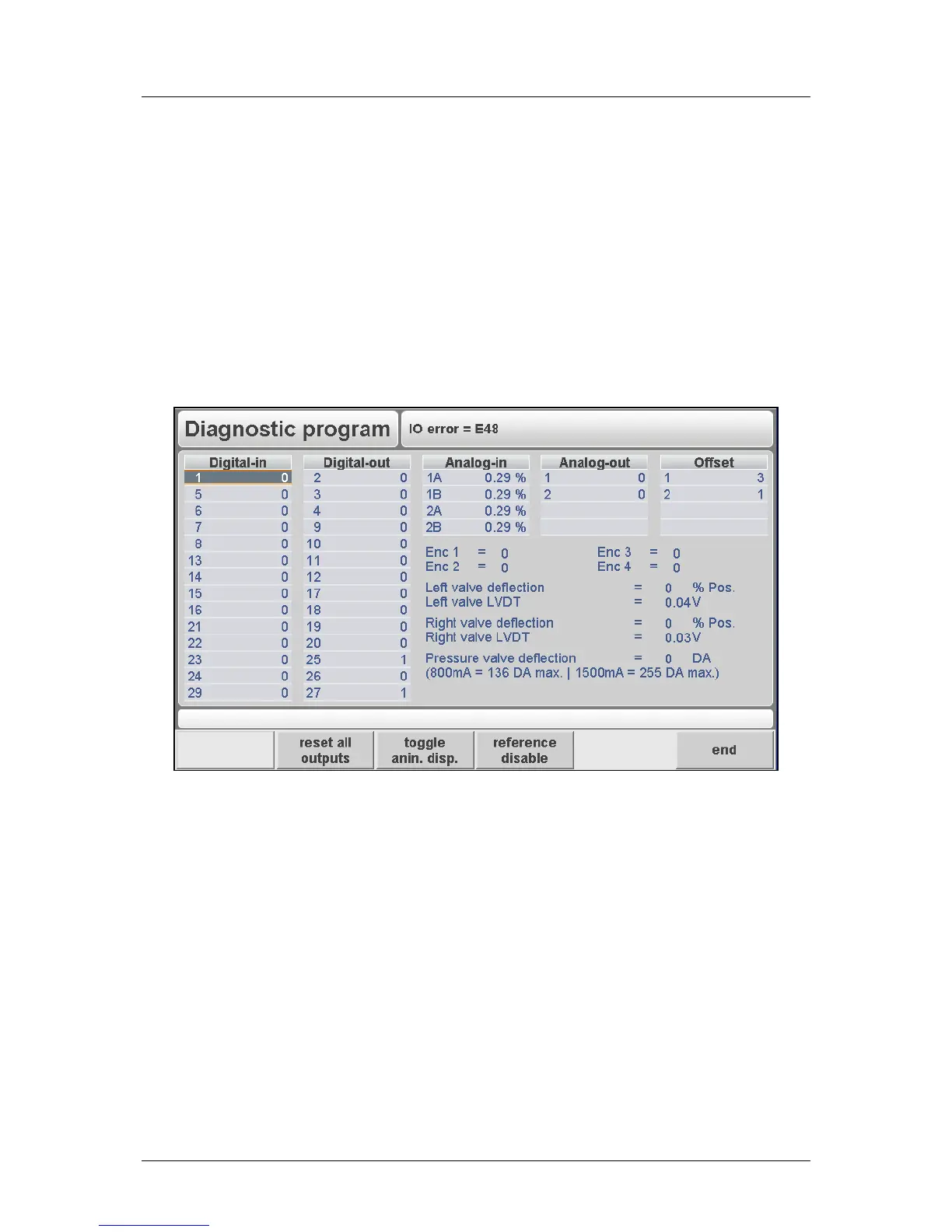
In this screen the system I/O of the control can be tested and monitored. Analog and digital
outputs can be set high and low with keys on the front panel.
The read-out of analog inputs and the encoders is continuously. When a reference pulse of
the linear scales is received in the electronics, the corresponding measured value will shortly
be highlighted in inverse colour. (Only when the concerning reference check has been
enabled with the function key).
Figure 5.a
Reset all digital outputs of the control (set to zero).
Function to switch value of analogue input voltage between AD-
points and a percentage.
Testing the encoder counting of the X-axis or any Auxiliary axis.
Toggle function between enabled and disabled. Default disabled. In
the disabled situation you can test the count direction. In the enabled
situation you can test whether the reference pulse is received (once
per encoder rotation). ENC in the upper row.
Change from Digital-out to Analogue-out.
Press enter to toggle Digital-out between 0 and 1.
To change the value of the Analogue-out parameters.
• Testing the analogue output



 To Next Page