V1213, 3.21
Example:
Existing length is 100
By entering a negative value of -40 you get the same results.
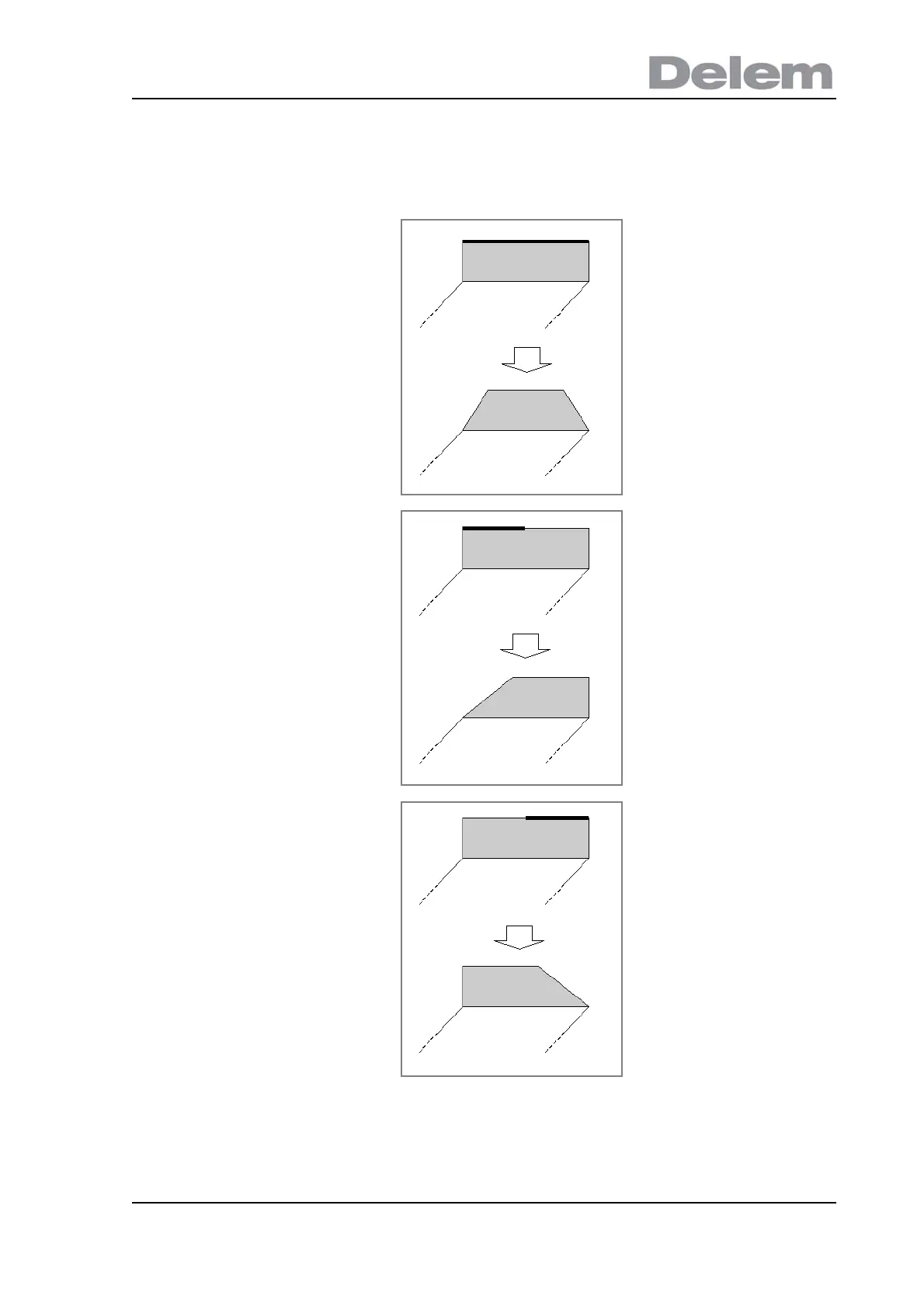
The new side length is the same in each case. However, the resulting shapes are different
because the extension or shortening starts at different ends.
1) The side must be changed
evenly: make sure the entire side
is highlighted.
Enter value 60.
Result: the side is shrunk on both
sides.
2) The side must be changed on
the left part. Tap Next Part until
the side is highlighted as shown.
Enter value 60.
Result: the side is shrinkage on
the left side.
3) The side must be changed on
the right part. Tap Next Part until
the side is highlighted as shown.
Enter value 60.
Result: the side is shrunk on the
right side.



 To Next Page