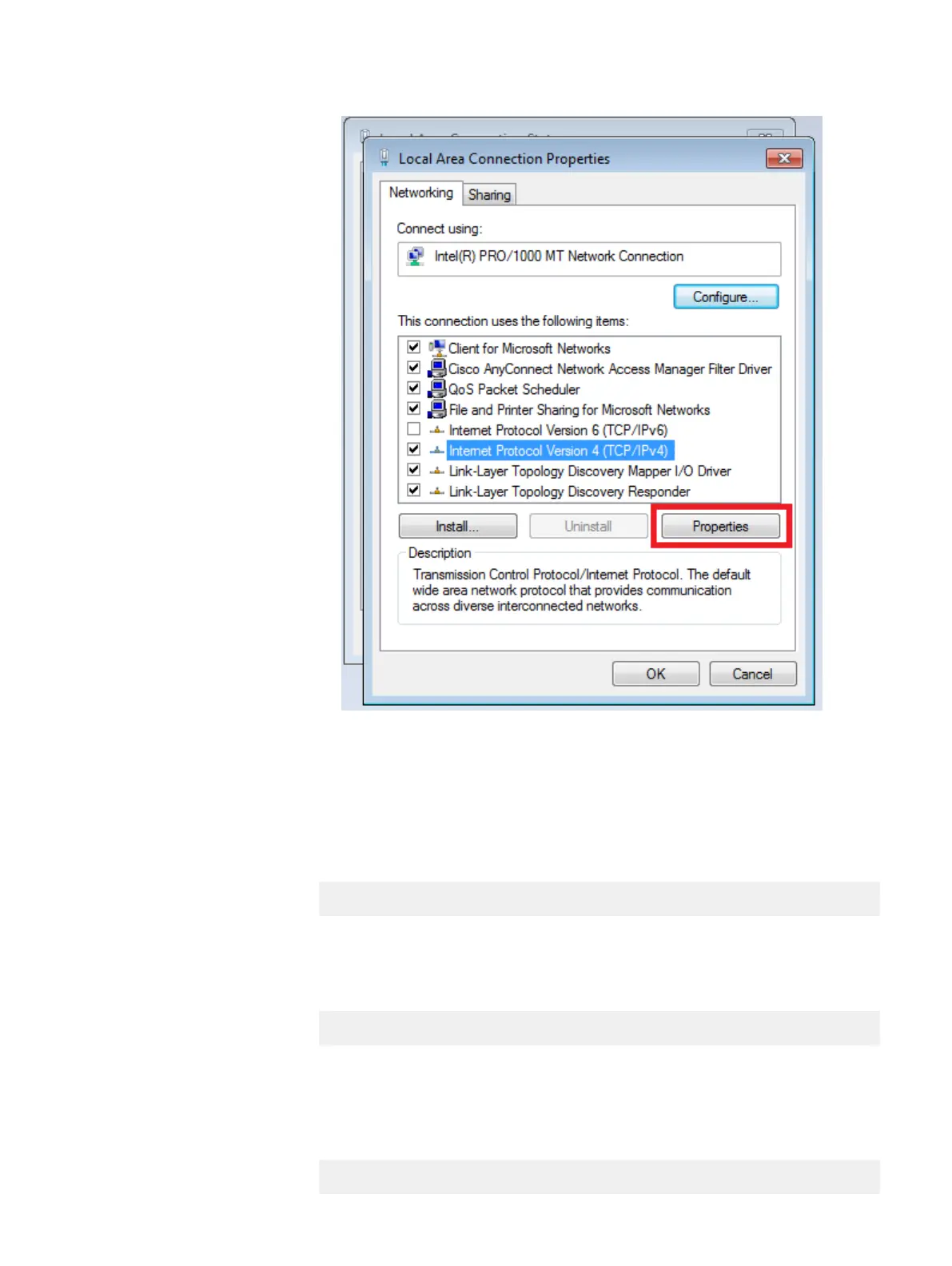
g. Click OK to close the Internet Protocol Version 4 (TCP/IPv4) Properties
dialog box.
h. Click OK to close the Local Area Connection Properties dialog box.
21. Create a putty session to the Data Domain at 192.168.100.109.
22. Configure the management interface by typing the following command (VLAN
number will be in PEQ):
net create interface ethMa vlan vlan_number
Example: net create interface ethMa.123
23. Configure the management interface by typing the following command:
net config ethMa.vlan_number ip_address netmask mask
Example: net config ethMa.123 172.158.12.24 netmask 255.255.255.0
24. Configure the default gateway for the management interface by typing the
following command gateway will be in PEQ:
net route set gateway gateway_ip_address
Dell S4048-ON Switch FRUs
DELL EMC CONFIDENTIAL
94 Integrated Data Protection Appliance (IDPA) 2.1 Field Replacement Guide





 To Next Page