EasyManua.ls Logo

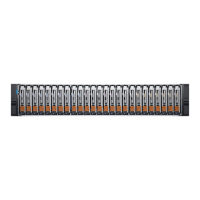
Dell EMC Unity 480/F - User Manual

Dell EMC Unity 480/F
126 pages
Print Icon
To Next Page IconTo Next Page
Loading...
Dell EMC Unity
All Flash and Unity Hybrid
Dell EMC Unity 480/F, Unity 680/F, Unity
880/F
Installation and Service Guide
302-005-519
REV 01

Table of Contents

Question and Answer IconNeed help?

Do you have a question about the Dell EMC Unity 480/F and is the answer not in the manual?

Summary

Installation Procedures

Service Procedures

Replace Faulted Disk in DPE

Procedure to remove a faulted disk and install a replacement disk into the DPE.

Replace Power Supply

Procedure to remove a faulted power supply and install a replacement.

Replace Embedded Module

Procedure to remove and install a replacement embedded module.

Replace 4-Port Card

Procedure to remove and install a replacement 4-port card.

Replace I;O Module

Procedure to remove and install a replacement I/O module.

Replace Fan Module

Procedure to remove and install a replacement fan module.

Replace Dual Inline Memory Module (DIMM)

Procedure to remove and install a replacement DIMM into the SP assembly.

Replace M.2 SSD

Procedure to remove and install a replacement M.2 SSD.

Replace SP Assembly

Procedure to remove and install a replacement SP assembly.

Summary

Installation Procedures

Service Procedures

Replace Faulted Disk in DPE

Procedure to remove a faulted disk and install a replacement disk into the DPE.

Replace Power Supply

Procedure to remove a faulted power supply and install a replacement.

Replace Embedded Module

Procedure to remove and install a replacement embedded module.

Replace 4-Port Card

Procedure to remove and install a replacement 4-port card.

Replace I;O Module

Procedure to remove and install a replacement I/O module.

Replace Fan Module

Procedure to remove and install a replacement fan module.

Replace Dual Inline Memory Module (DIMM)

Procedure to remove and install a replacement DIMM into the SP assembly.

Replace M.2 SSD

Procedure to remove and install a replacement M.2 SSD.

Replace SP Assembly

Procedure to remove and install a replacement SP assembly.

Dell EMC Unity 480/F Specifications

General IconGeneral
ModelUnity 480/F
CategoryStorage
Maximum Number of Host Ports16
ProcessorDual Intel Xeon
Operating SystemDell EMC Unity Operating Environment
Drive Types SupportedSAS, NL-SAS, SSD
Host ConnectivityFC, iSCSI
Network Ports4 x 10GbE
RAID LevelsRAID 0, 1, 5, 6, 10
Protocols SupportedCIFS/SMB, NFS, iSCSI, FC
ReplicationAsynchronous replication
Data ReductionDeduplication, Compression
Form Factor2U, 3U
Storage CapacityConfigurable based on drives
Host Interface Ports16Gb FC, 10GbE iSCSI, 12Gb SAS

Related product manuals