20 Loading Print Media
www.dell.com | support.dell.com
3
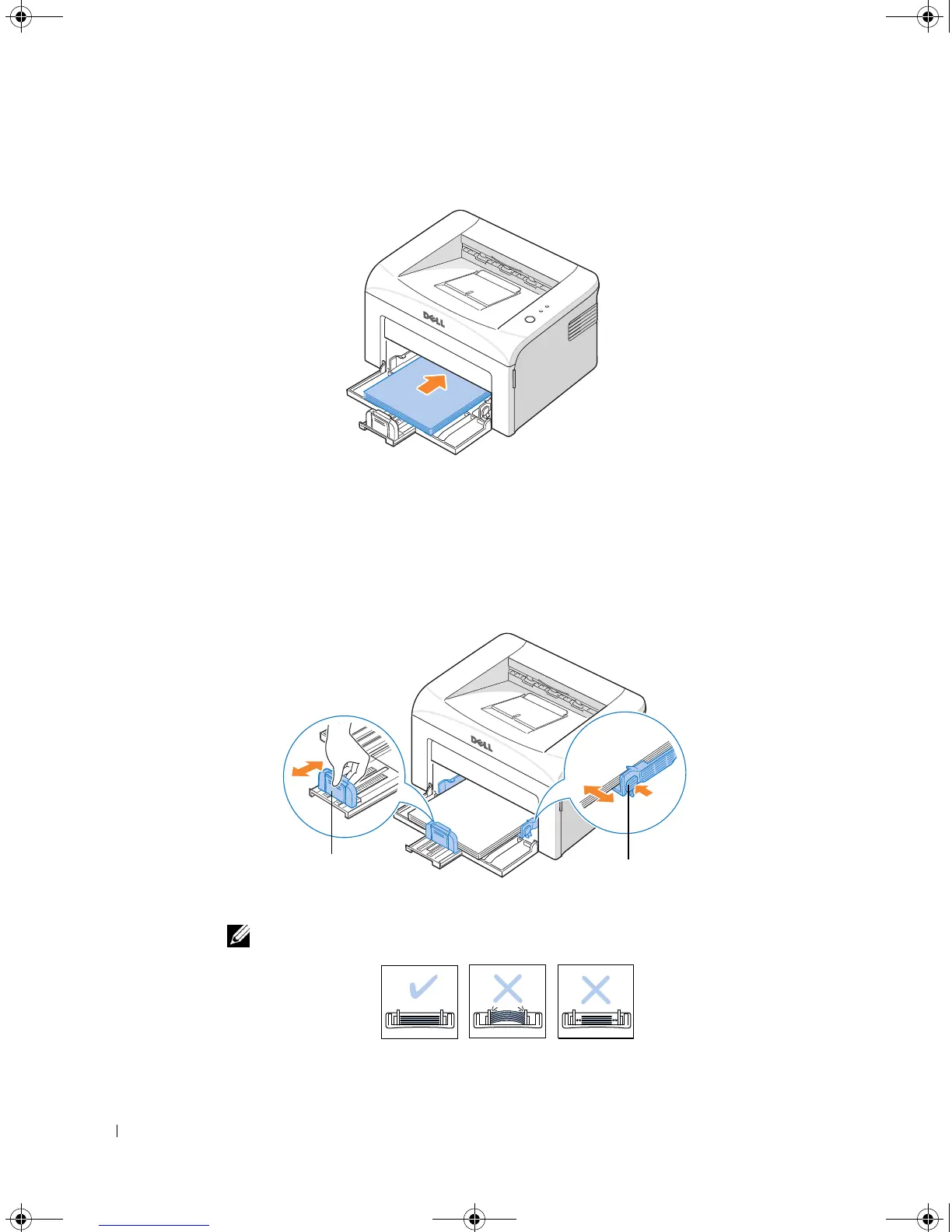
Load paper in the paper tray
with the side to be printed on facing up
.
Make sure that all four corners are flat in the tray.
4
Be careful not to overload the paper tray. Overloading may cause paper jams.
5
Squeeze the length guide and slide it until it lightly touches the end of the paper stack.
Squeeze the width guide and move it toward the stack of paper until it lightly touches
the side of the stack.
NOTE: Improper adjustment of paper guides can result in paper jams.
Length Guide
Width Guide
1100-OM_EN.book Page 20 Friday, May 20, 2005 3:14 PM











 To Next Page