iii
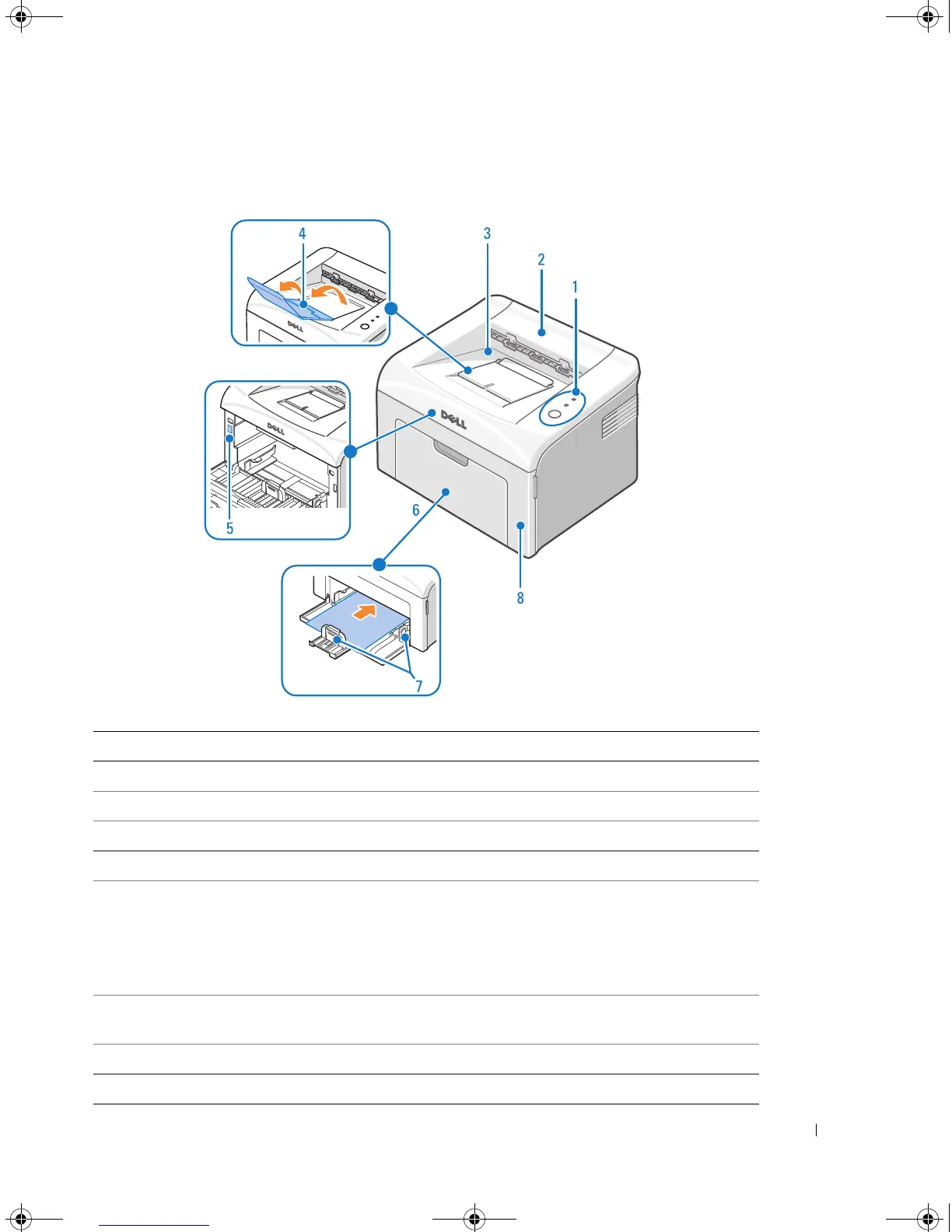
Understanding the Printer
# Use the: When you want to:
1 Operator Panel Operate the printer and check the status of your printer.
2 Top Cover Open to remove the paper jams.
3 Paper Output Tray Stack printed document face down.
4 Paper Output Extension Keep print media from falling off the paper output tray.
5 Express Service Code Identify your printer when you use support.dell.com or contact
technical support.
Enter the Express Service Code to direct your call when contacting
technical support. The Express Service Code is not available in all
countries.
6 Paper Input Tray Load up to 150 sheets of paper or other media, or a single sheet of
paper or other media.
7 Paper Guides Adjust the length and width of the media in the paper input tray.
8 Front Cover Access the toner cartridge.
1100-OM_EN.book Page iii Friday, May 20, 2005 3:14 PM











 To Next Page