iv
www.dell.com | support.dell.com
Accessing Your
User’s Guide
To access your
User’s Guide
, click Start
Programs Dell Printers Dell Laser
Printer 1100 User’s Guide
.
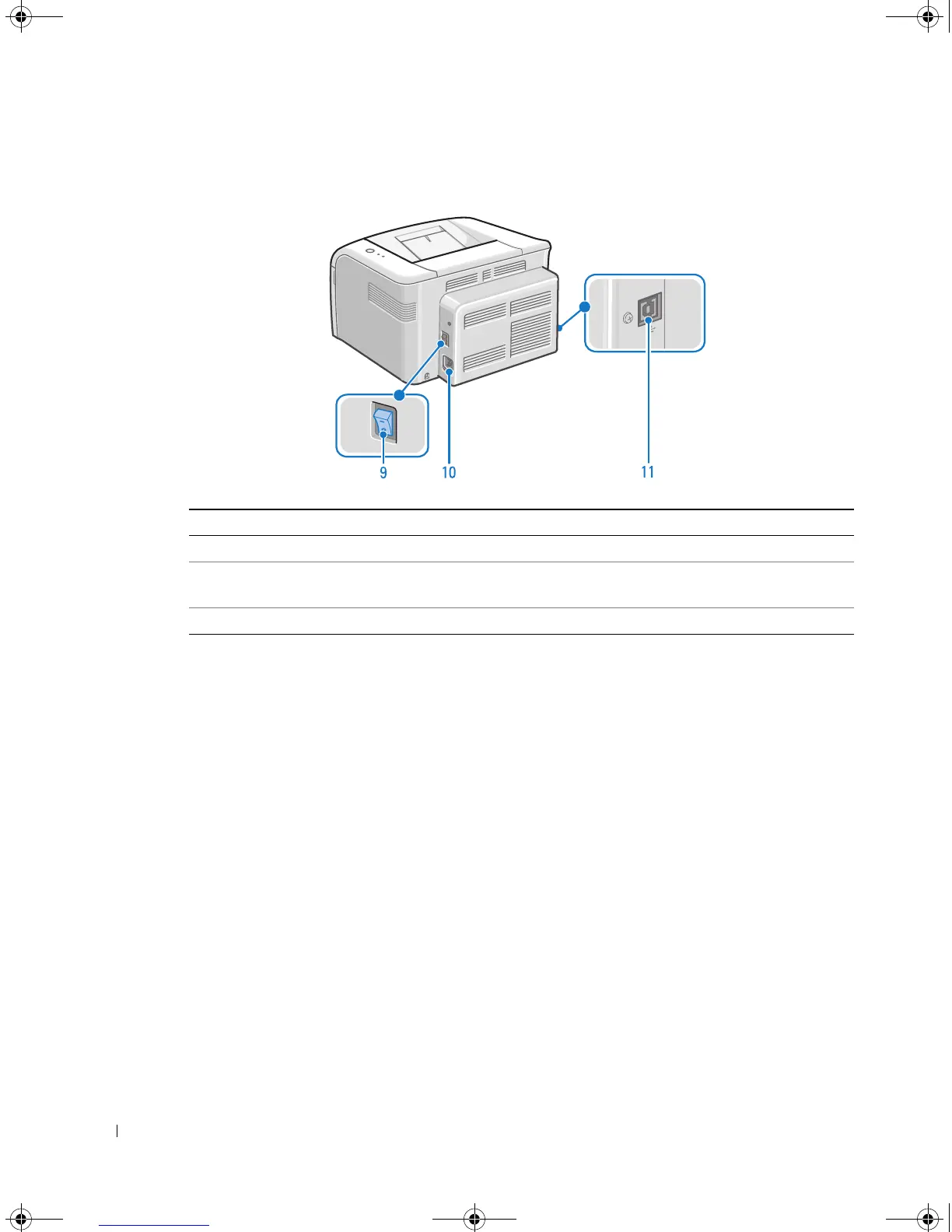
# Use the: When you want to:
9 Power Switch Power your printer on or off.
10 Power Cord Connector Plug your printer into a properly grounded electrical outlet with
the power cord (after all peripherals have been connected).
11 USB Cable Connector Insert the USB cable.
→→ →
→
1100-OM_EN.book Page iv Friday, May 20, 2005 3:14 PM











 To Next Page