34 Maintenance
www.dell.com | support.dell.com
3
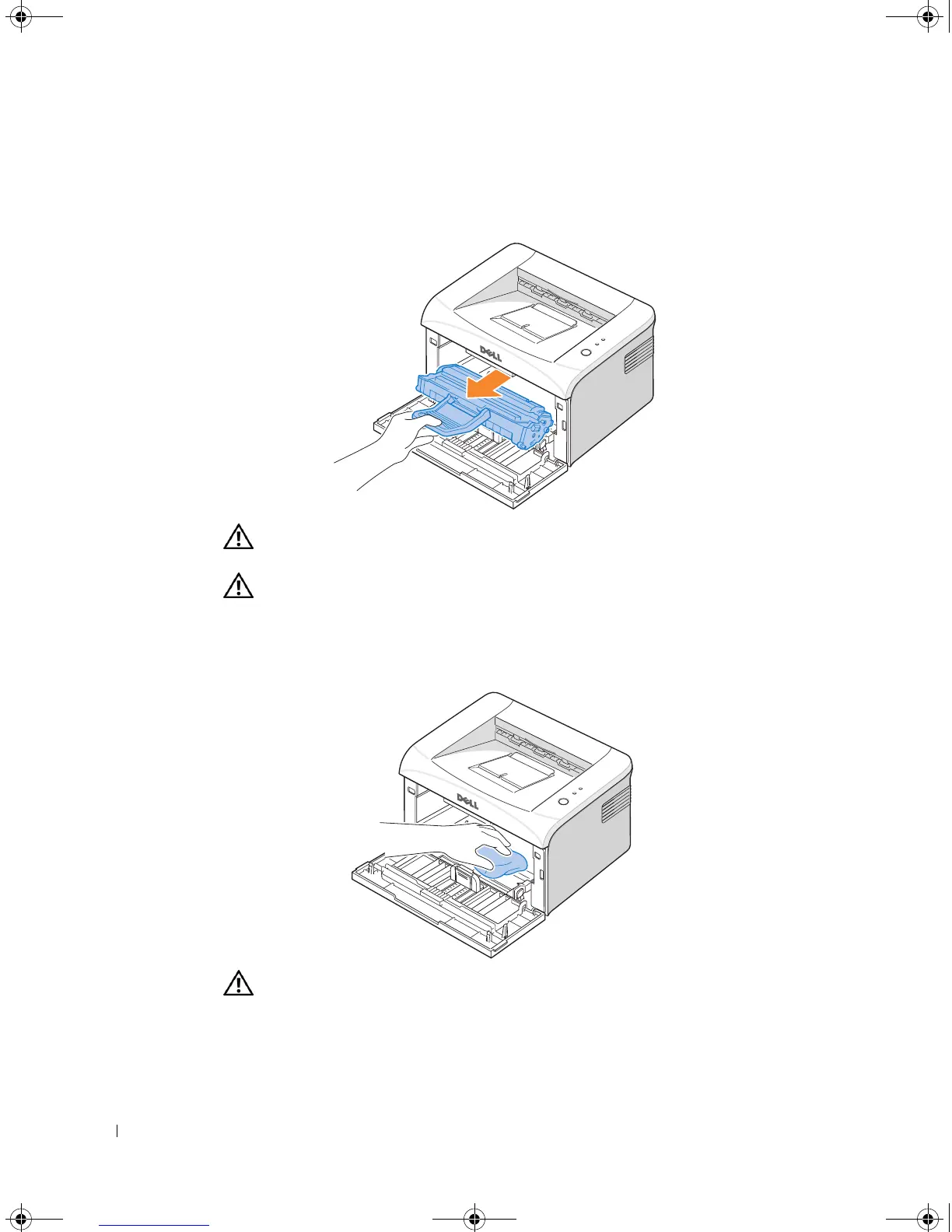
Gently pull the toner cartridge out, being careful not to scratch against the printer, and
lift it up and away from the printer. Set it on a clean flat surface.
CAUTION: To prevent damage to the toner cartridge, do not expose the toner
cartridge to light for more than a few minutes.
CAUTION: Do not touch the green underside of the toner cartridge. Use the handle
on the cartridge to avoid touching this area.
4
With a dry and lint-free cloth, wipe away any dust and spilled toner from the toner
cartridge area and the toner cartridge cavity.
CAUTION: Do not touch the transfer roller inside the printer. Oil from your fingers
may cause print quality problems.
5
Reinsert the toner cartridge and close the front cover.
6
Plug in the power cord and power the printer on.
1100-OM_EN.book Page 34 Friday, May 20, 2005 3:14 PM











 To Next Page