Dell
®
1700 Flat Panel Monitor User’s Guide 1-7
Adjusting Your Monitor
Your flat panel display allows you to easily adjust the characteristics of the image being dis-
played. All of these adjustments are made using the control buttons on the front of the
monitor. While you use these buttons to adjust the controls, an on-screen menu shows
you their numeric values as they change.
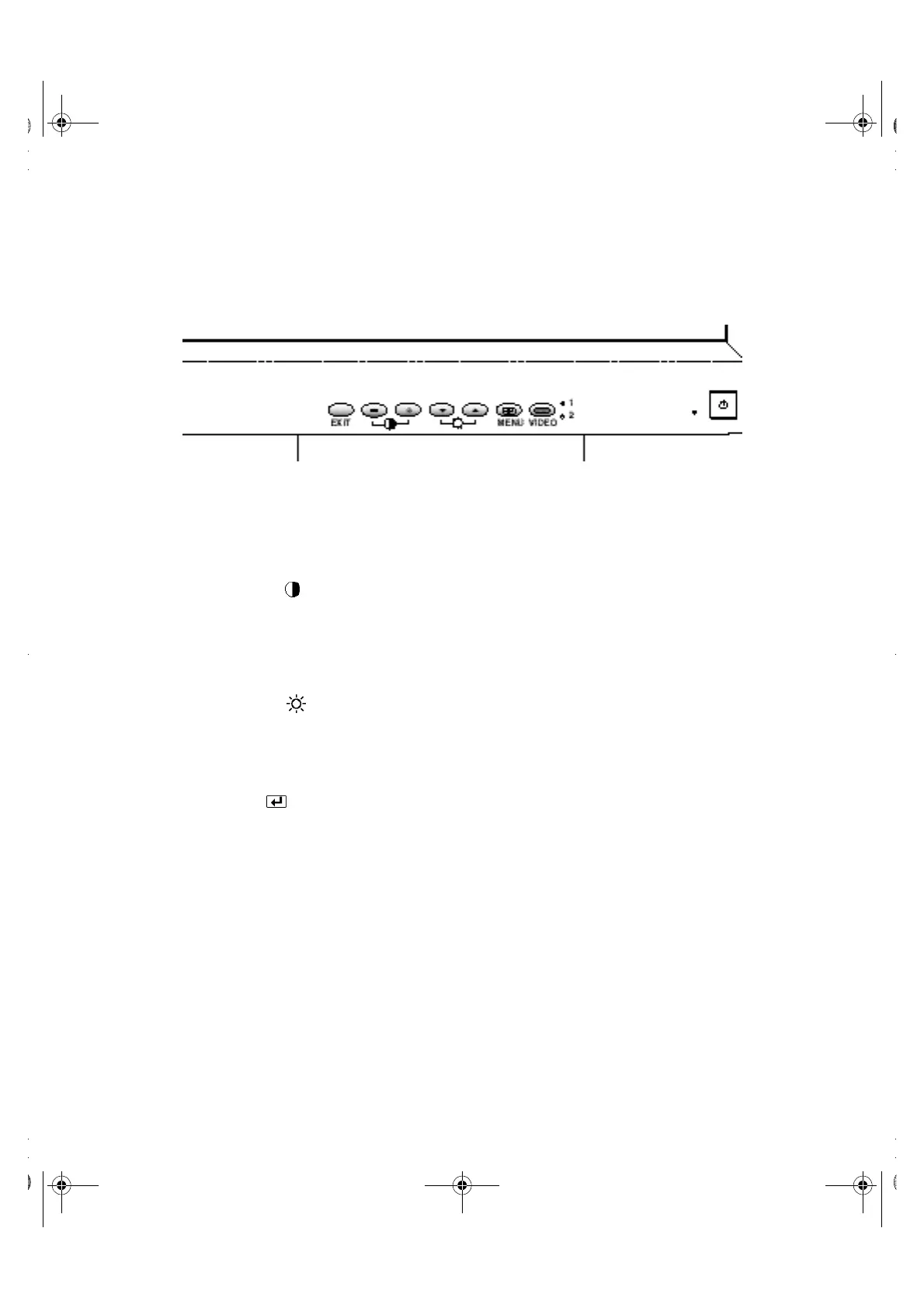
Figure 1-6. User controls
1. EXIT button
The EXIT button opens the Auto Adjustment on-screen menu (OSM), exits from
menus and sub-menus, and exits the OSM.
2. The – / + () buttons
These buttons allow you to select items on the on-screen menu. When adjusting an
item using the OSM, the (–) button lowers the value of the selected function. The
(+) button raises the value of the selected function. These buttons are also direct
access buttons for theContrast feature control. (See the section on “Direct-Access
Features” on page8.)
3. The u/5 () buttons
When used with the OSM system, these buttons allow you to select sub-menu items
and to move the selector between menus on the OSM. These buttons are also direct
access buttons for the Brightness feature control. (See the section on “Direct-Access
Features” on page8.)
4. MENU ( ) button
This button opens the OSM system and activates the highlighted function.
5. VIDEO button and indicators
The VIDEO button allows you to select between two different computer systems
which may be connected to your monitor. Video 1 is for use with a local (at your desk)
computer system, while Video 2 is for use with a workstation. An indicator light glows
green next to the number (1 or 2) indicating which system is active on the flat panel
display screen.
6. Power indicator
The power indicator light glows green during normal operation.
7. Power button
Use this button to turn the monitor on and off.
• ‚
ƒ
„
…
†
‡
1700FP-E.book Page 7 Monday, November 2, 1998 4:51 PM



 To Next Page