1-2 Dell
®
1700 Flat Panel Monitor User’s Guide
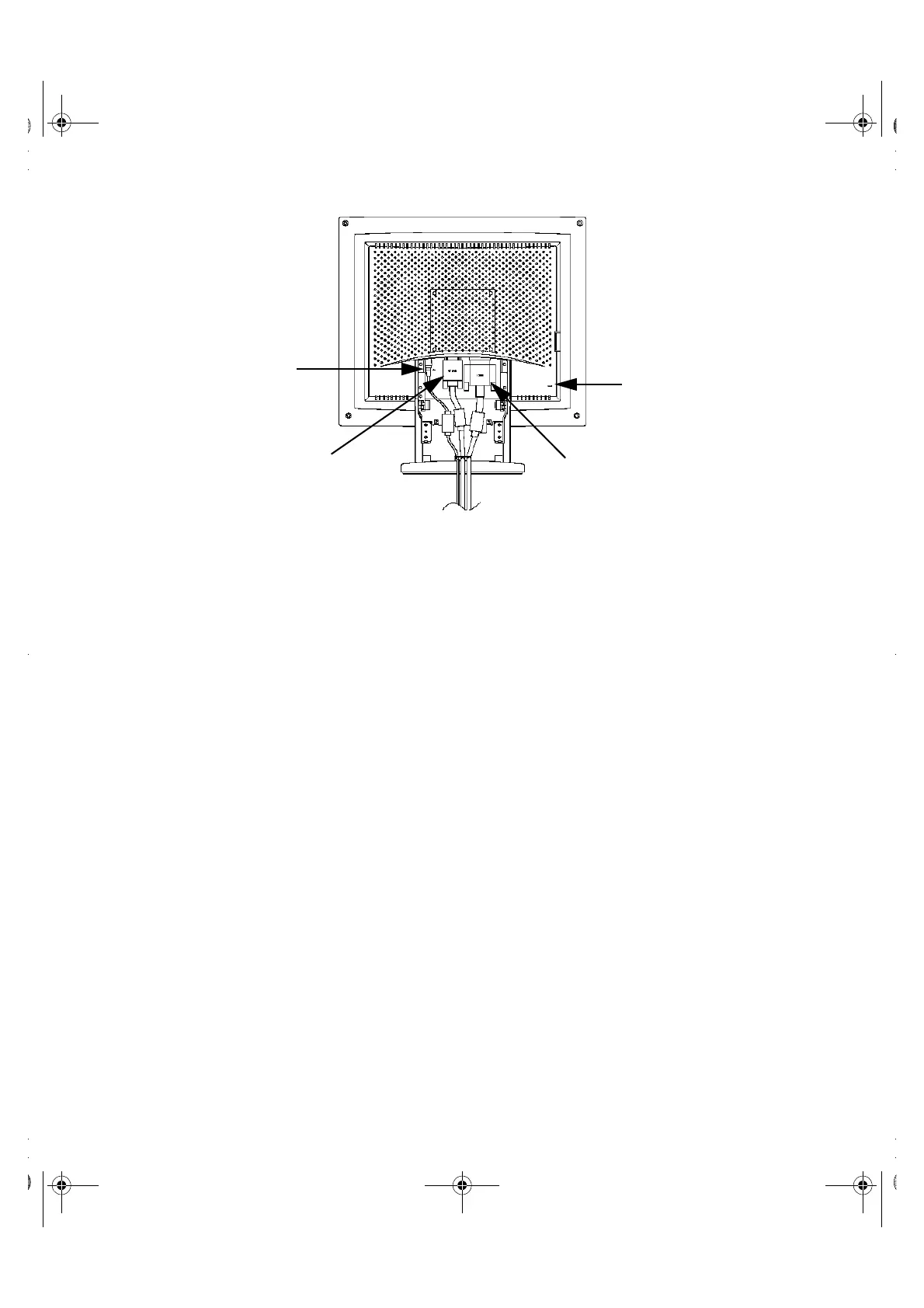
Figure 1-2. Back panel connectors
1. Power adapter connector
Connect the power adapter here.
2. 15-pin mini D-sub signal cable connector
Connect a mini D-sub cable from the video connector on your local (at your desk) com-
puter to this connector. When the system connected to this cable is the active
system, the video 1 indicator will glow green.
3. 13W3 signal cable connector
Connect a 13W3 cable from the video connector on your workstation to this connec-
tor. When the workstation is the active system using the flat panel display, the video 2
indicator will glow green.
4. Kensington security slot
This monitor offers you the opportunity to attach a Kensington-type security device .
Kensington lock not included. Refer to your locking device documentation for installa-
tion instructions.
➀
➁
➂
„
1700FP-E.book Page 2 Monday, November 2, 1998 4:51 PM



 To Next Page