EasyManua.ls Logo

Dell 1710 - Page 49

Dell 1710
116 pages
Print Icon
To Next Page IconTo Next Page
To Previous Page IconTo Previous Page
Loading...
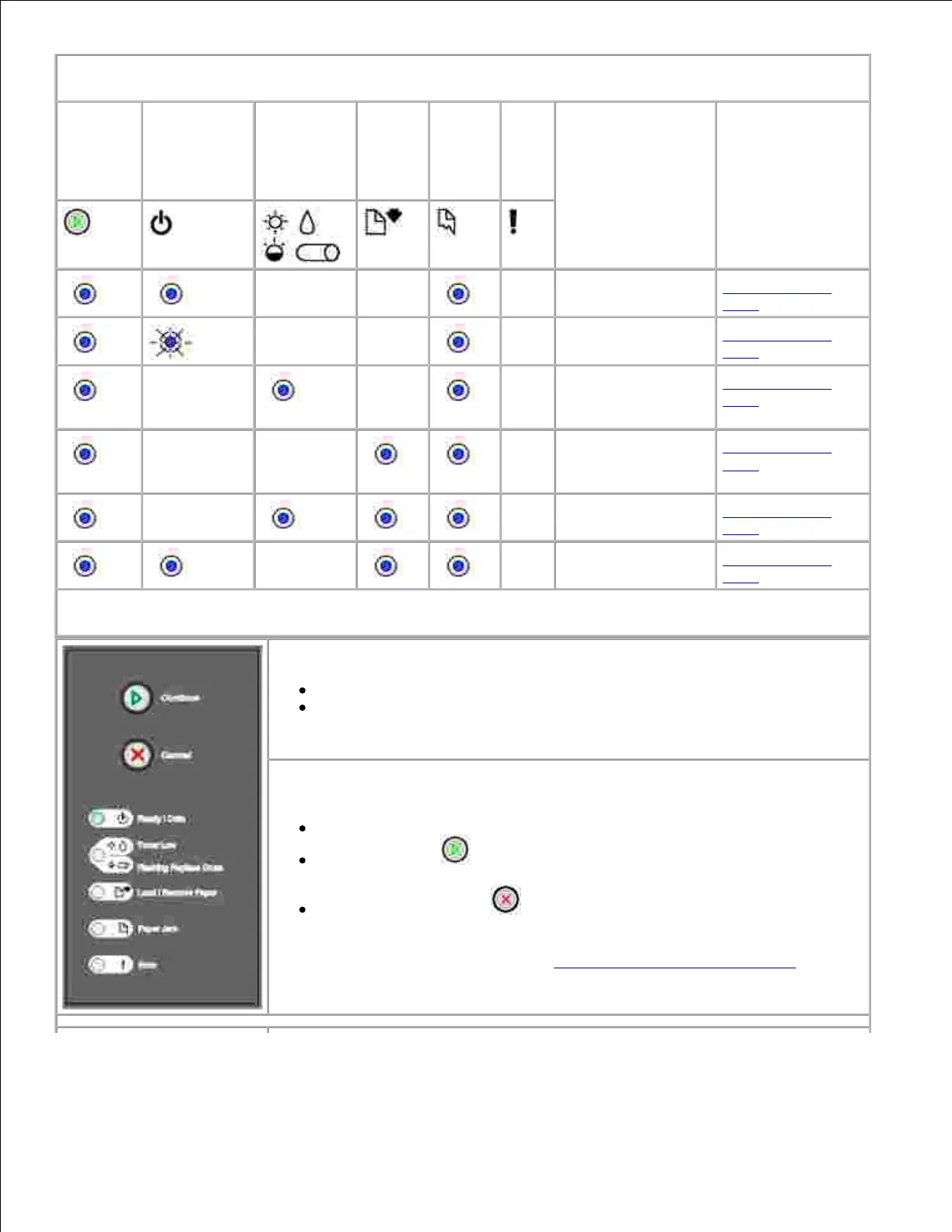
Secondary error code light sequences for jams
Continue
Ready/Data
Toner
Low/
Replace
Drum
Load
Paper
Paper
Jam
Error
Printer condition
Click here for
more
information
Paper jam at input
sensor*
Clearing paper
jams
Paper jam in the
manual feeder
Clearing paper
jams
Paper jams as it
exits the tray into
the printer
Clearing paper
jams
Paper jams as a
printed job exits
the printer
Clearing paper
jams
Paper jam in Tray 1
Clearing paper
jams
Paper jam in Tray 2
Clearing paper
jams
* Paper jams at the input sensor can be either after the paper leaves the tray and enters the printer or in
the manual feeder.
What this light sequence means:
The printer is ready to receive and process data.
The printer is in Power Saver mode.
What you can do:
Send a print job.
Press Continue to print the menu settings pages for a list of current
printer settings.
Press and hold Cancel to reset the printer.
NOTE: If you want to change the Power Saver setting, it can only be set from
the Local Printer Settings Utility (see Dell Local Printer Settings Utility).

Table of Contents

Related product manuals