Display Info
Display Reset
Exit Menu
When making changes to either the 'Horizontal' or 'Vertical' settings, no changes w ill occur to the size of the view ing area: the image will simply be shifted in
response to your selection/change.
Use the and buttons to adjust image to left/right and up/down. Minimum is '0' (-). Maximum is '100' (+).
This feature can make the image look sharper or softer. Use or to adjust the sharpness from '0' to '100' .
Use the Zoom function to zoom in to specific area of interest.
Using the and keys to zoom in and out.
When using the zoom function.
Use the and buttons to adjust image to left/right and up/down. Minimum is '0' (-). Maximum is '100' (+).
The Phase and Pixel Clock adjustments allow you to adjust your monitor to your preference. These settings are accessed through the main OSD menu, by selecting
'Image Settings'.
Use the and buttons to adjust for bes t image quality.
If satisfactory results are not obtained using the Phase adjustment, use the Pixel Clock (coarse) adjustment and then use Phase (fine), again.
NOTE: Pixel Clock and Phase Adjustments are only available for "VGA" input.
To turn on or off Audio Power during Power Save mode.
All the settings related to this monitor.
Reset the image to the original factory se tting.
Push to exit the OSD main menu.
MENU
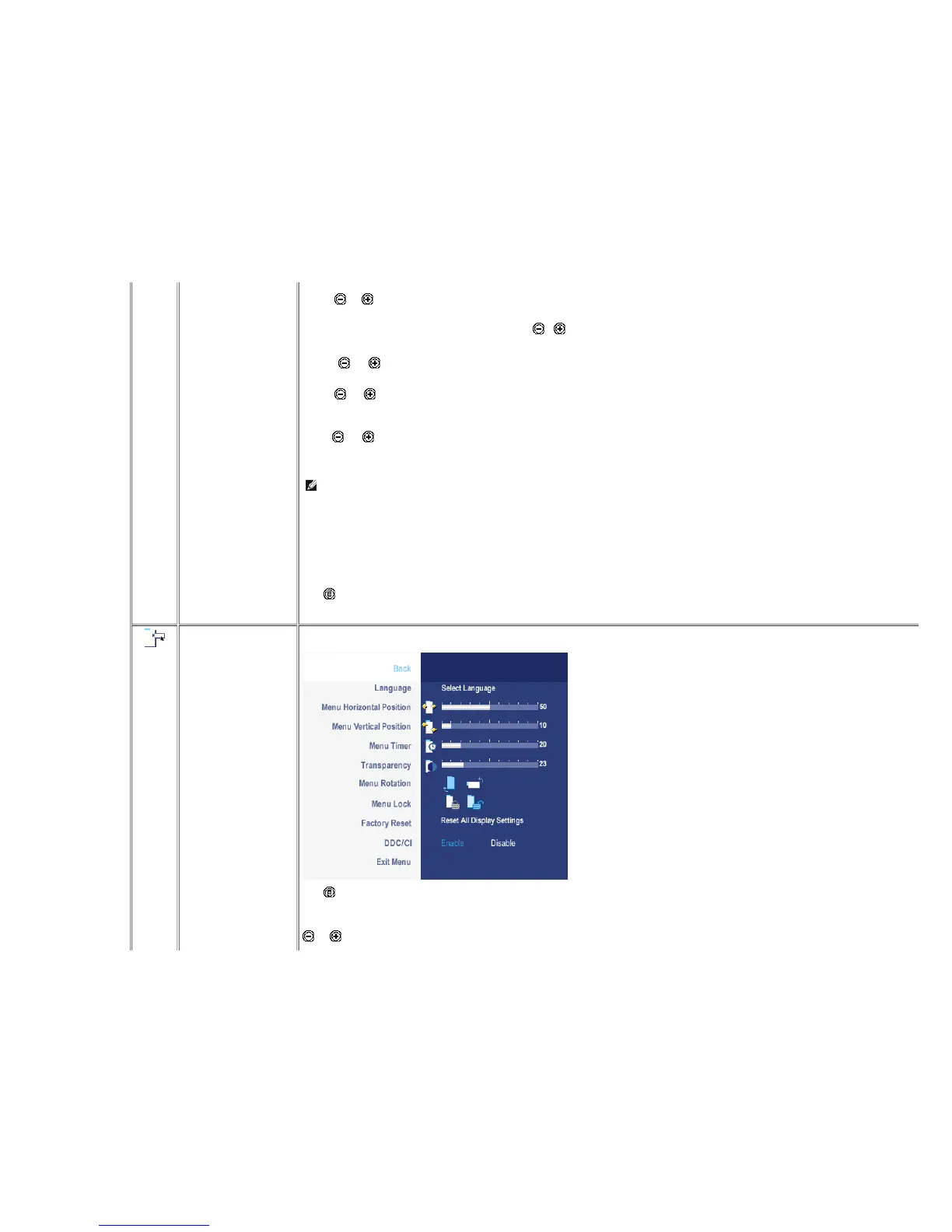
SETTINGS
Back
Language
Menu Horizontal Position
Menu Vertical Position
Push to select Back to go back to the main menu.
Language option to set the OSD display to one of five languages (English, Espanol, Francais, Deutsch, Japanese).
and buttons move OSD to the left and right.










 To Next Page