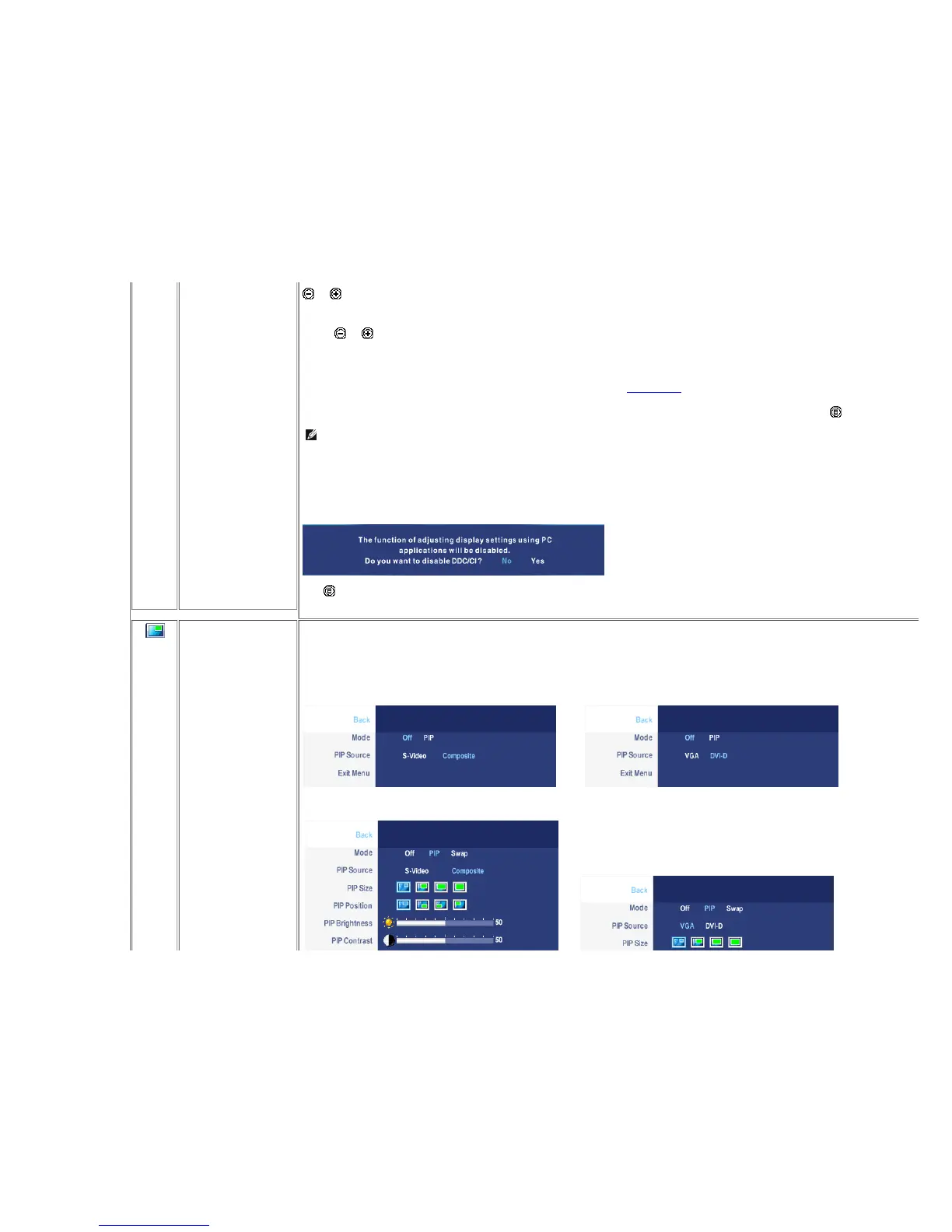
Menu Vertical Position
Menu Timer
Transparency
Menu Rotation
Menu Lock
Factory Reset
DCC/CI
Exit Menu
and buttons move OSD up and down.
OSD Hold Time: Sets the length of time the OSD will remain active after the last time you pressed a button.
Use the and buttons to adjust the slider in 5 second increments, from 5 to 60 seconds.
This function is used to adjust the OSD background from opaque to transparent.
Rotates the OSD by 90 degrees counter-clockwise. Your can adjust according to your Dis play Rotation.
Controls user access to adjustments. When 'Yes' (+) is selecte d, no user adjustments are allowed. All buttons are locked except the menu button.
NOTE: W hen the OSD is locked, pressing the menu button will take the user directly to the OSD se ttings menu, with 'OSD Lock' pre-selected on entry. Select
No(-) to unlock and allow user access to all applicable settings.
Reset all OSD settings to the factory preset values.
DDC/CI (Display Data Channel/Command Interface) allow s your monitor parameters (brightness, color balance etc) to be adjustable via software on your PC. You
can disable this feature by selecting "Disable".
Enable this feature for best user experience and optimum performance of your monitor.
Push to exit the OSD main menu.
PIP
SETTINGS
This function brings up a window displaying image from another input source.
PIP submenu when PIP OFF (main source is VGA/DVI-D input) PIP submenu when PIP OFF (main source is Video input)
or
PIP submenu when PIP ON (main source is VGA/DVI-D input) PIP submenu when PIP ON (main source is Video input)
or










 To Next Page