7
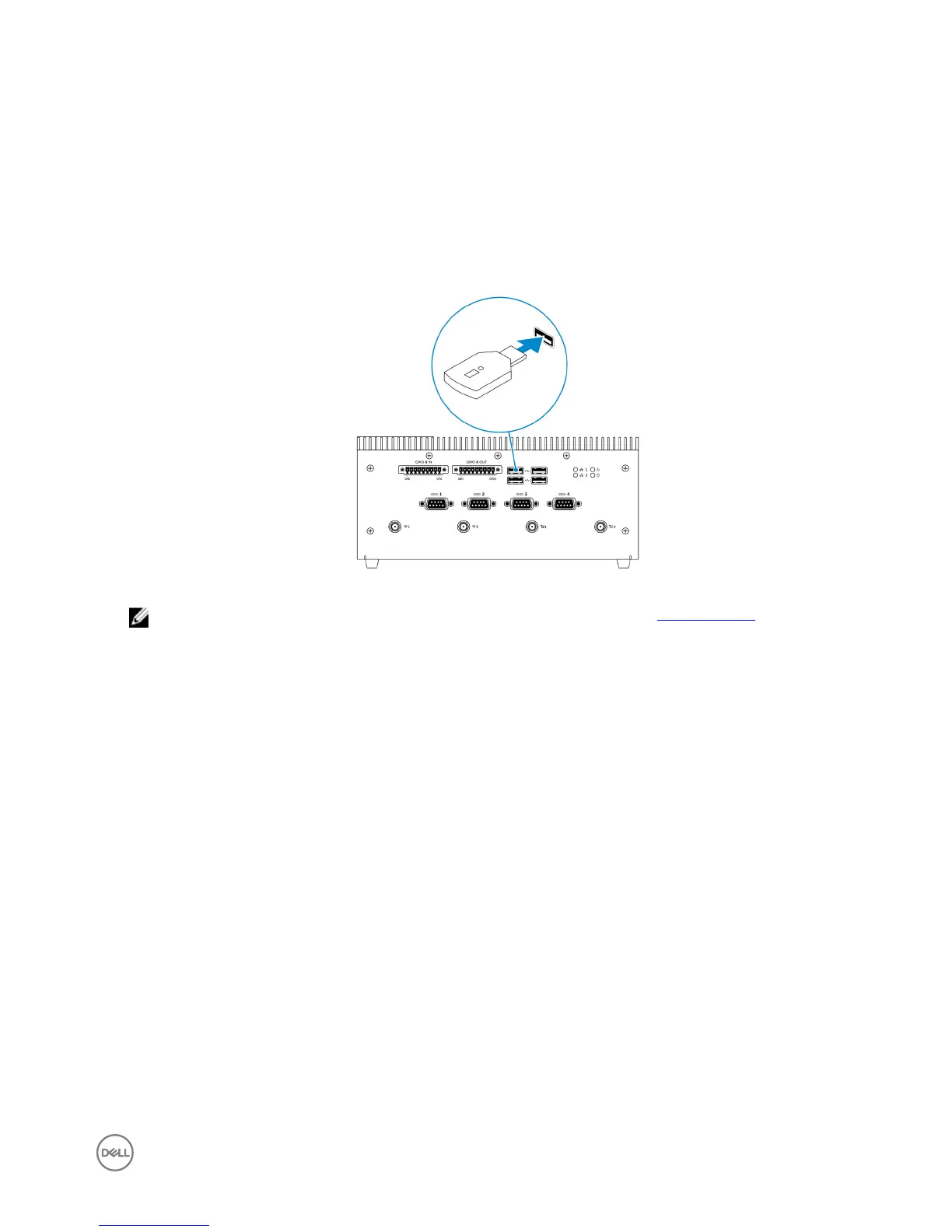
Setting up the ZigBee dongle
1. Shut down the Embedded Box PC.
2. Connect the ZigBee dongle to any external USB port on the Embedded Box PC.
3. Turn on the Embedded Box PC and complete the setup.
NOTE: For ZigBee development information, see the SiLabs developer website at www.silabs.com or contact the
network system’s application provider.
41









 To Next Page