2
Features
Top view
Features
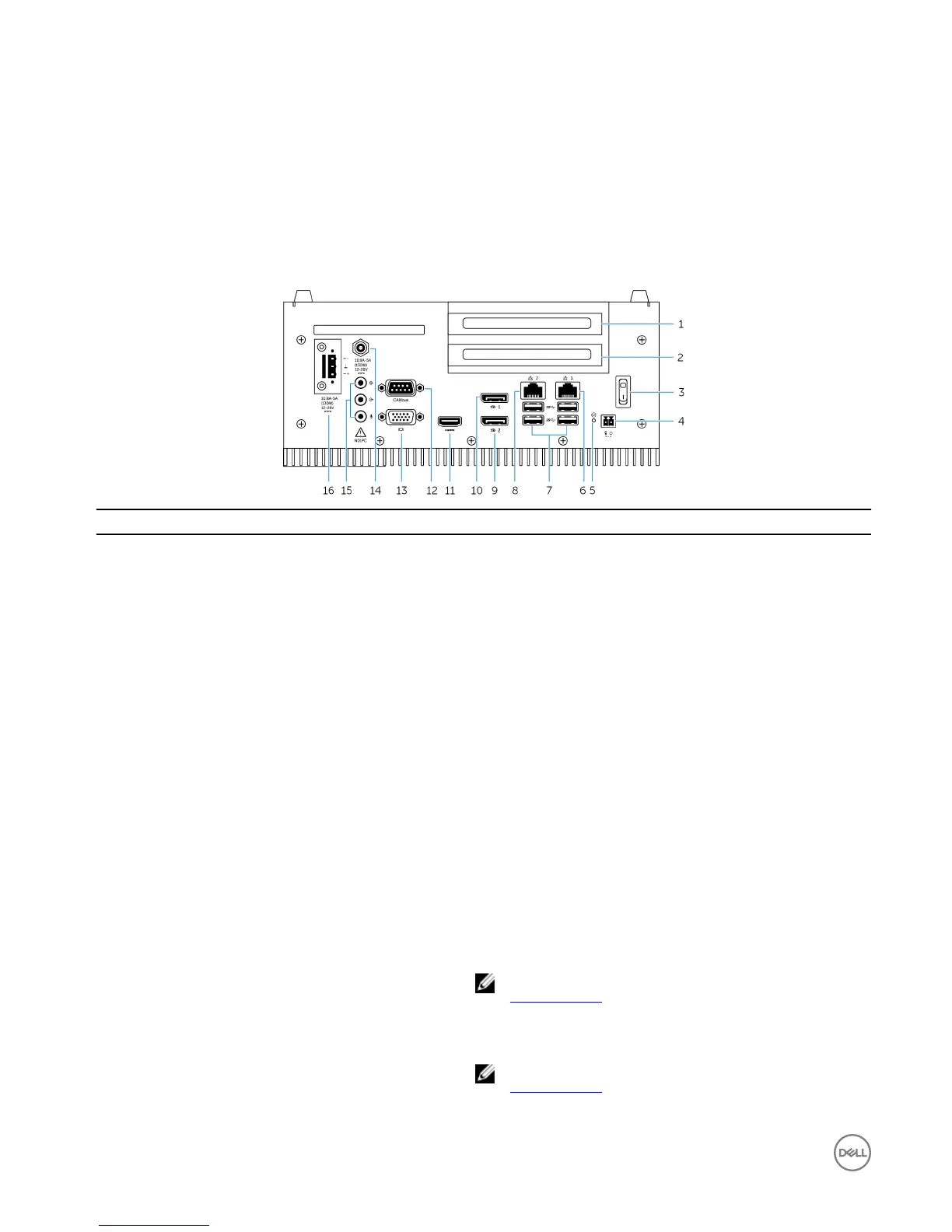
1 PCI or PCIe(x8) slot one
Install a PCI card or a PCIe(x8) card.
Maximum card size supported: Height 111.15 mm (4.38 inches),
length 167.65 mm (6.6 inches)
2 PCI or PCIe(x8) or PCIe(x16) slot two
Install a PCI card or a PCIe(x8) card, or PCIe(x16) card.
Maximum card size supported: Height 111.15 mm (4.38 inches),
length 167.65 mm (6.6 inches)
3 Power switch Turn on or o the Embedded Box PC.
4 Remote power switch
1
Install a remote power switch.
5 Hard reset Using a pin, press the button located in the pin hole to restart the
Embedded Box PC.
6 Network port one Connect an Ethernet (RJ-45) cable for network access. Provides
data transfer speeds up to 10/100/1000 Mbps.
7 USB 3.0 ports (4) Connect USB enabled devices. Provides data transfer speeds up
to 5 Gbps.
8 Network port two Connect an Ethernet (RJ-45) cable for network access. Provides
data transfer speeds up to 10/100/1000 Mbps.
9 DisplayPort two Connect a monitor or another DisplayPort enabled device.
Provides video and audio output.
NOTE: For more information about the display options, see
Display options.
10 DisplayPort one Connect a monitor or another DisplayPort enabled device.
Provides video and audio output.
NOTE: For more information about the display options, see
Display options.
6









 To Next Page