Using Your Projector 25
Using the Remote Control
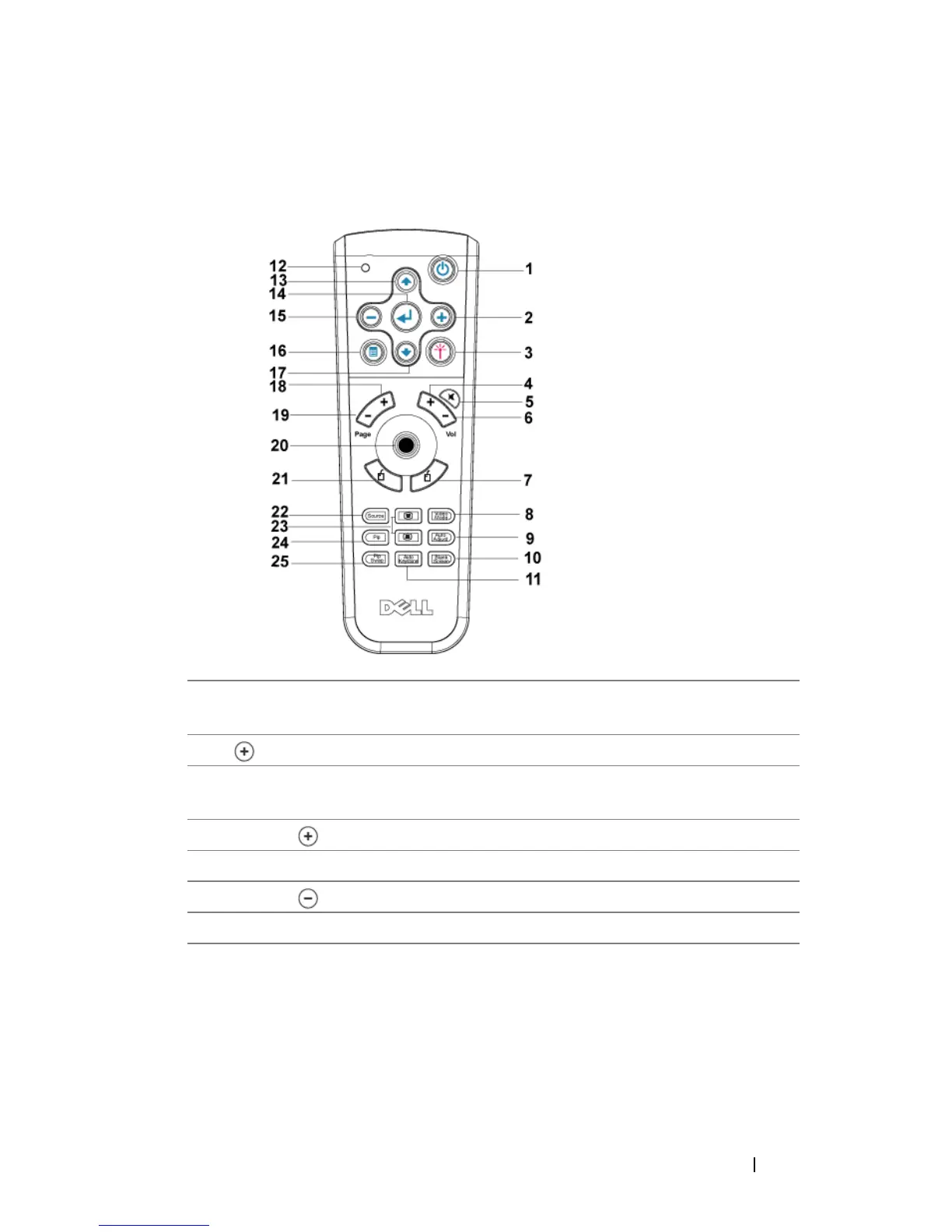
1 Power Turn the projector on and off. For more
information, see page 19.
2 Press to adjust the OSD setting.
3 Laser Aim the remote control at the screen, press and
hold the laser button to activate the laser light.
4 Volume Press to increase the volume.
5 Mute Press to mute or un-mute the projector speaker.
6 Volume Press to decrease the volume.
7 Right click Mouse right click.


 To Next Page