Contents 3
Contents
1 Your Dell Projector . . . . . . . . . . . . . . . . . . 7
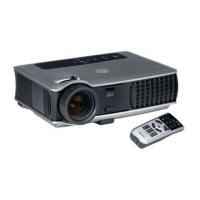
About Your Projector . . . . . . . . . . . . . . . . . 8
2 Connecting Your Projector . . . . . . . . . . . . 9
Connecting to a Computer . . . . . . . . . . . . . . 10
Connecting a Computer with an M1 to D-sub/USB
Cable
. . . . . . . . . . . . . . . . . . . . . . 10
Connecting a Computer with a D-sub to D-sub
Cable
. . . . . . . . . . . . . . . . . . . . . . 11
Connecting to a DVD Player . . . . . . . . . . . 12
Connecting a DVD Player with an M1 to HDTV
Cable
. . . . . . . . . . . . . . . . . . . . . . 12
Connecting a DVD Player with a D-sub to YPbPr
Cable . . . . . . . . . . . . . . . . . . . . . . 12
Connecting a DVD Player with a RCA to RCA Cable
13
Connecting a DVD Player with an S-video Cable . . 13
Connecting a DVD Player with a Composite Cable
. 14
Connecting a DVD Player with a BNC to VGA cable
14
Professional Installation Options: Installation for
Driving Automatic Screen . . . . . . . . . . . . 15
Installation for wired RS232 remote control:
Connection with PC . . . . . . . . . . . . . . . 16
Connection with Commercial RS232 Control Box:
. 17


 To Next Page