Using Your Projector 27
25 PIP Swap Press the PIP Swap button to swap between the
foreground and background.
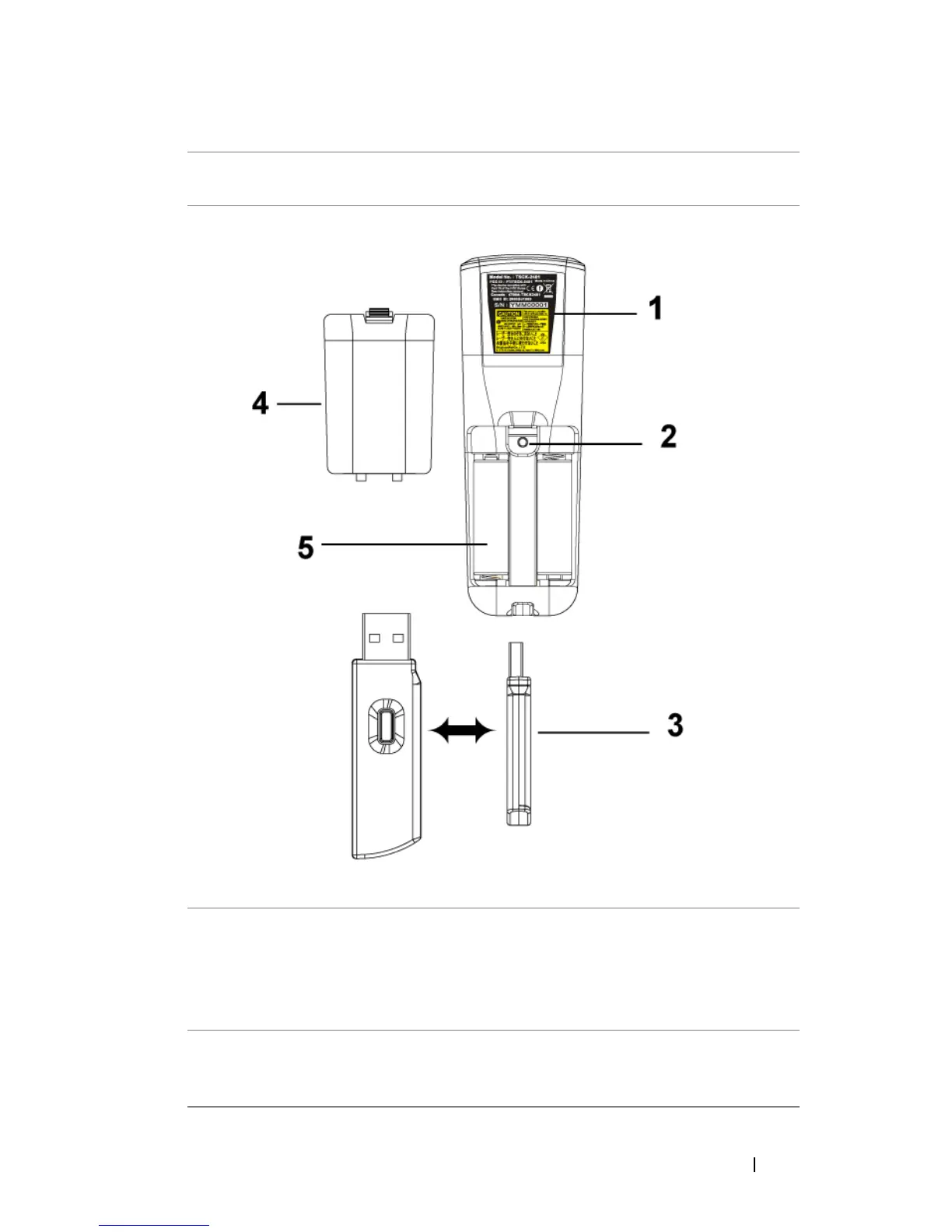
1 Laser Warning The remote control is equipped with a Class II
laser that emits laser radiation. To reduce the risk
of injury, do not look directly into the laser light,
and do not point the laser light into anyone's
eyes.
2 Program button Initiate the Learning Mode on the remote for
switching the RF transmission channel by
pressing Prgm button.


 To Next Page