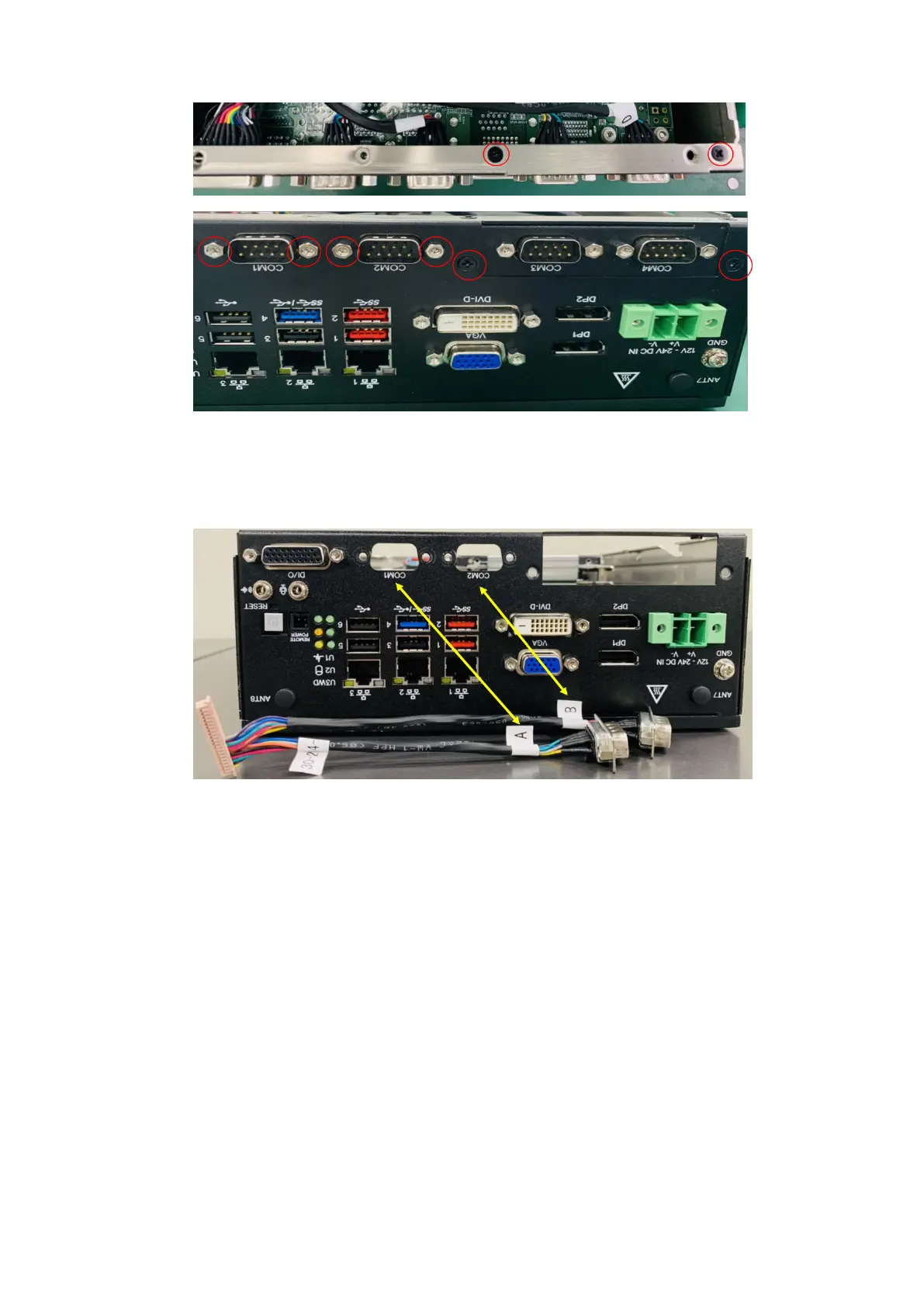
Figure 61. I/O panel screw and standoff locations
8. Install the new dual-port COM cable (included). Connect to the front I/O panel with the port labeled A to COM1 and B to
COM2, use four H4 standoffs to secure the ports to the to the front panel, then connect the other end of the cable to the
motherboard header.
Figure 62. Connect new COM ports to I/O panel
40
Installation procedure for 2x isolated COM 422/485 or 232 uFM module















 To Next Page