About Your Printer 15
Using the Operator Panel
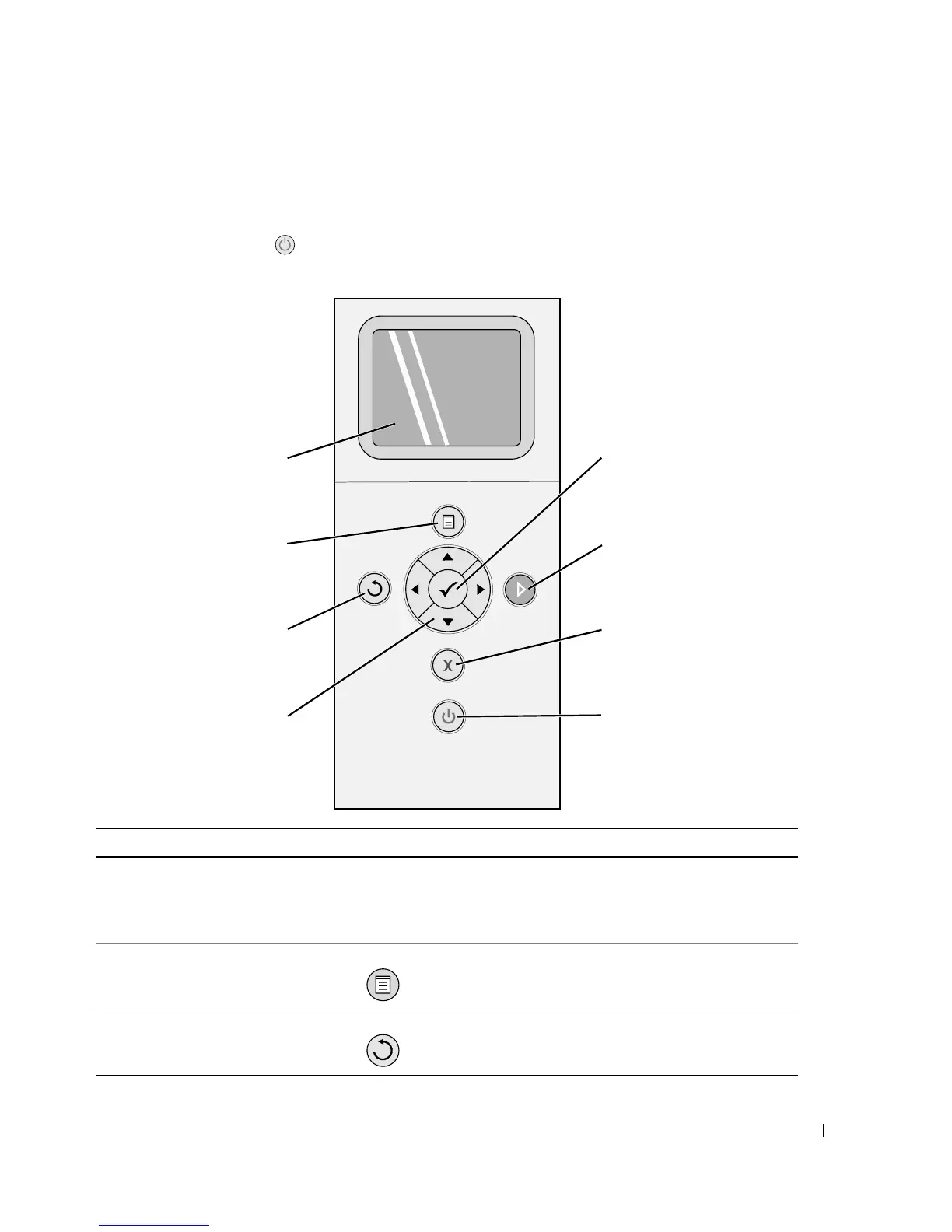
The operator panel buttons allow you to scan, copy, and customize documents. The printer is on
when the Power button is illuminated.
Number Use the: To:
1 LCD display Display scanning, copying, faxing, and printing
options as well as status and error messages. For
more information, see "Using the Operator Panel"
on page 15.
2 Menu button Enter or exit a menu.
3 Back button Return to the previous menu or screen.
1
2
4
36
7
8
5













 To Next Page