74 Ink Cartridge Maintenance
www.dell.com | support.dell.com
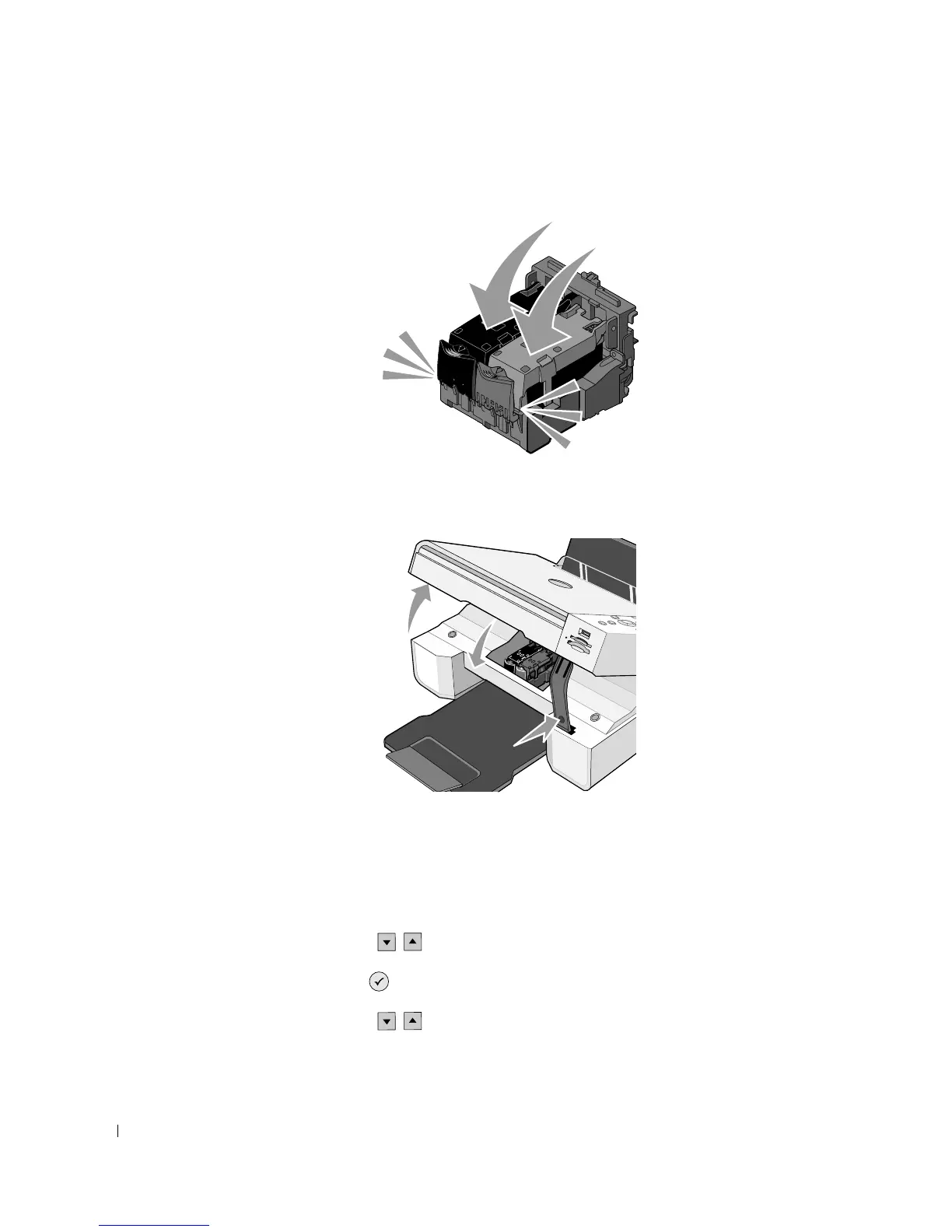
8 Snap each lid closed.
9 Lift the printer unit, and hold the scanner support up while lowering the printer unit until
it is completely closed.
Aligning Ink Cartridges
Your printer automatically prompts you to align the ink cartridges when they are installed or
replaced. To verify your ink cartridges are aligned, you can print an alignment page.
1 Press the Arrow buttons until you see Maintenance.
2 Press the Select button .
3 Press the Arrow buttons until you see Align Cartridges.













 To Next Page