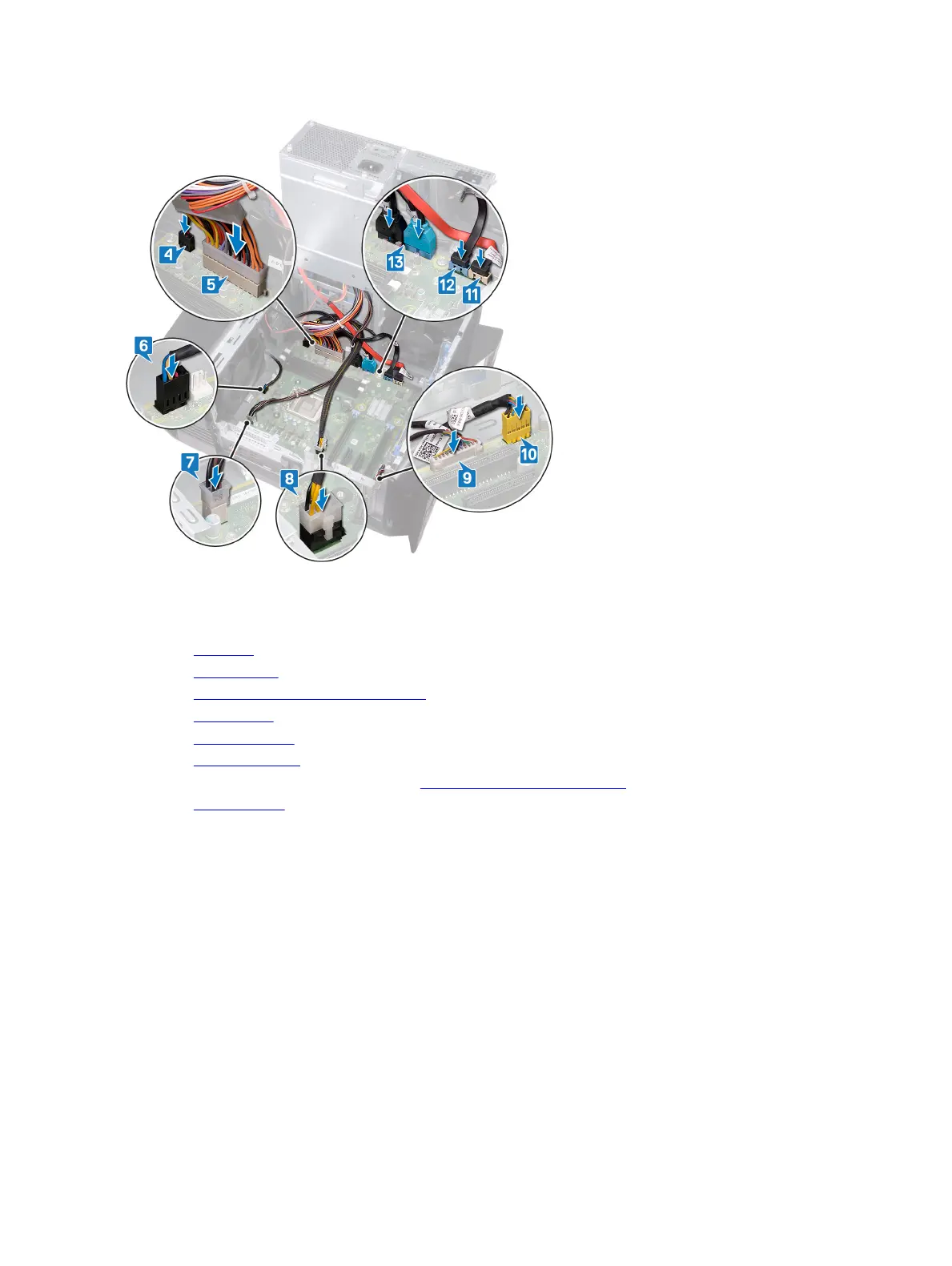
13 Route and connect the top panel USB cables to the system board.
Post-requisites
1 Replace the processor.
2 Replace the graphics card.
3 Replace the processor fan and heat-sink assembly.
4 Replace the wireless card.
5 Replace the solid-state drive.
6 Replace the memory modules.
7 Follow the procedure from step 10 to step 11 in "Replacing the power-supply unit".
8 Replace the left-side cover.
Entering the Service Tag in the BIOS setup program
1 Turn on or restart your computer.
2 Press F2 when the AlienHead logo is displayed to enter the BIOS setup program.
3 Navigate to the Main tab and enter the Service Tag in the Service Tag Input eld.
102












 To Next Page