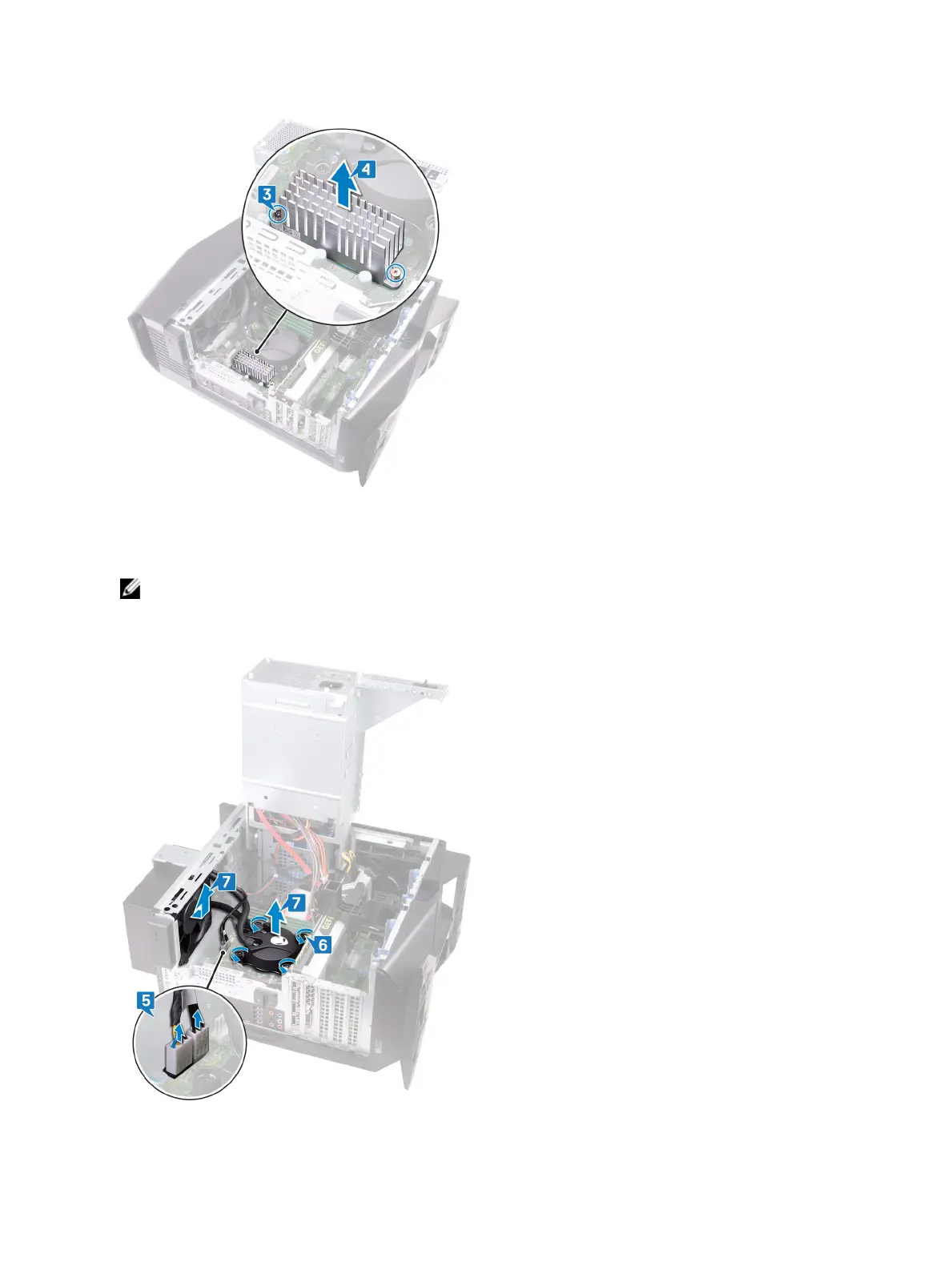
4 Lift the VR heat sink o the computer.
5 Disconnect the processor-cooling assembly cables from the system board.
6 In reversed order (as indicated on the processor cooler), loosen the four captive screws that secure the processor cooler to
the system board.
NOTE: If your are using an electric screwdriver, torque the screws at 6.9 +/-1.15 kilogram-force centimeter (6
+/-1 pound force inch).
7 Lift the processor-cooling assembly along with the cables o the computer.
54












 To Next Page