10 | About your display
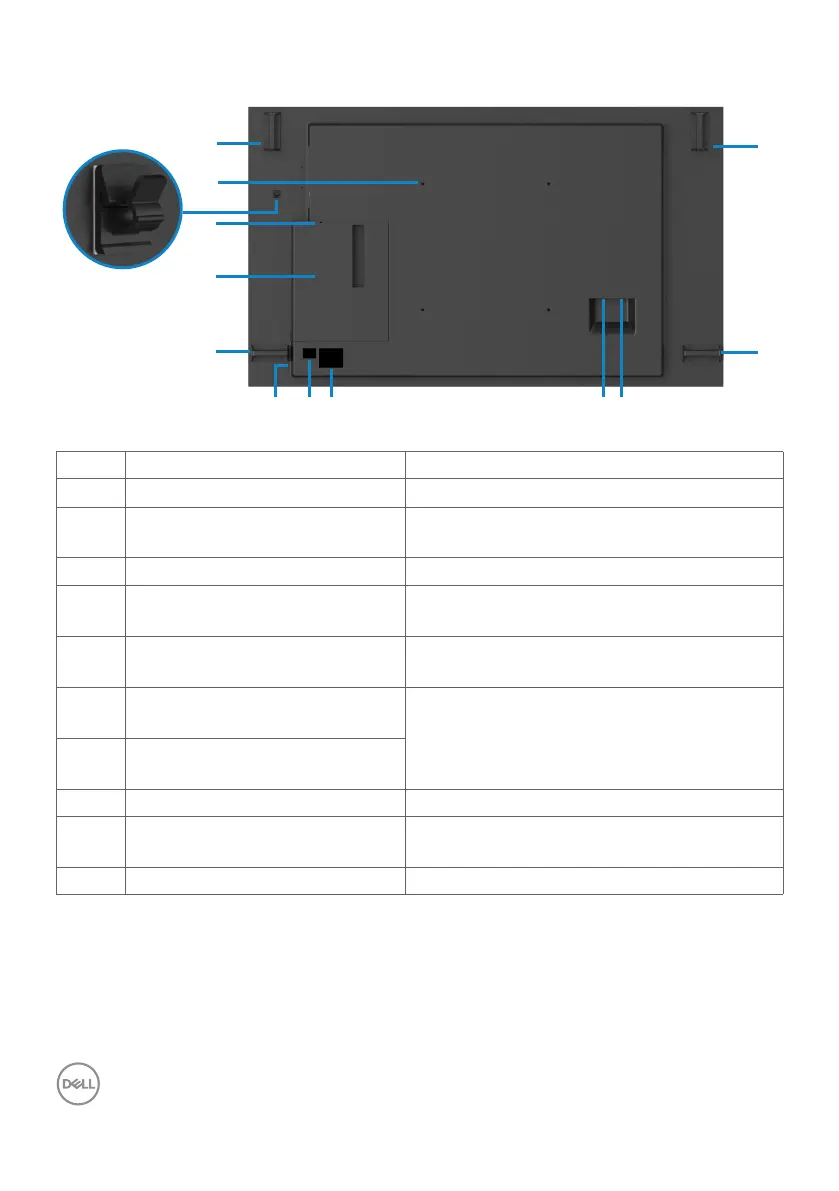
Back view
1
2
4
3
9 10876
5
1
1
1
Label Description Use
1 Handle x 4 Use to move the display.
2 VESA mounting holes (400 x
400 mm)
To mount the display.
3
USB Type-C cable clip Use to route USB Type-C cable.
4 Security lock slot Secures Optiplex with security cable lock
(sold separately).
5 Optiplex holder Use to hold a Micro Form Factor Optiplex
PC.
6 Serial number, Service Tag label,
and Website
Refer to this label if you need to contact
Dell for technical support.
7 Barcode, serial number, and
Service Tag label
8 Regulatory label List of approved regulatory labels.
9 AC to optiplex AC power to optiplex power adapter
(optional).
10 AC power connector To connect the display power cable.



 To Next Page