26 | Setting up the display
Setting up the display
Connecting your display
WARNING: Before you begin any of the procedures in this section, follow
the Safety Instructions.
To connect your display to the computer:
1. Turn o your computer.
2. Connect the HDMI/DP/USB Type-C/USB cable from your display to
thecomputer.
3. Switch on your display.
4. Select the correct input source at Display OSD Menu and turn on your computer.
Optiplex (Optional)
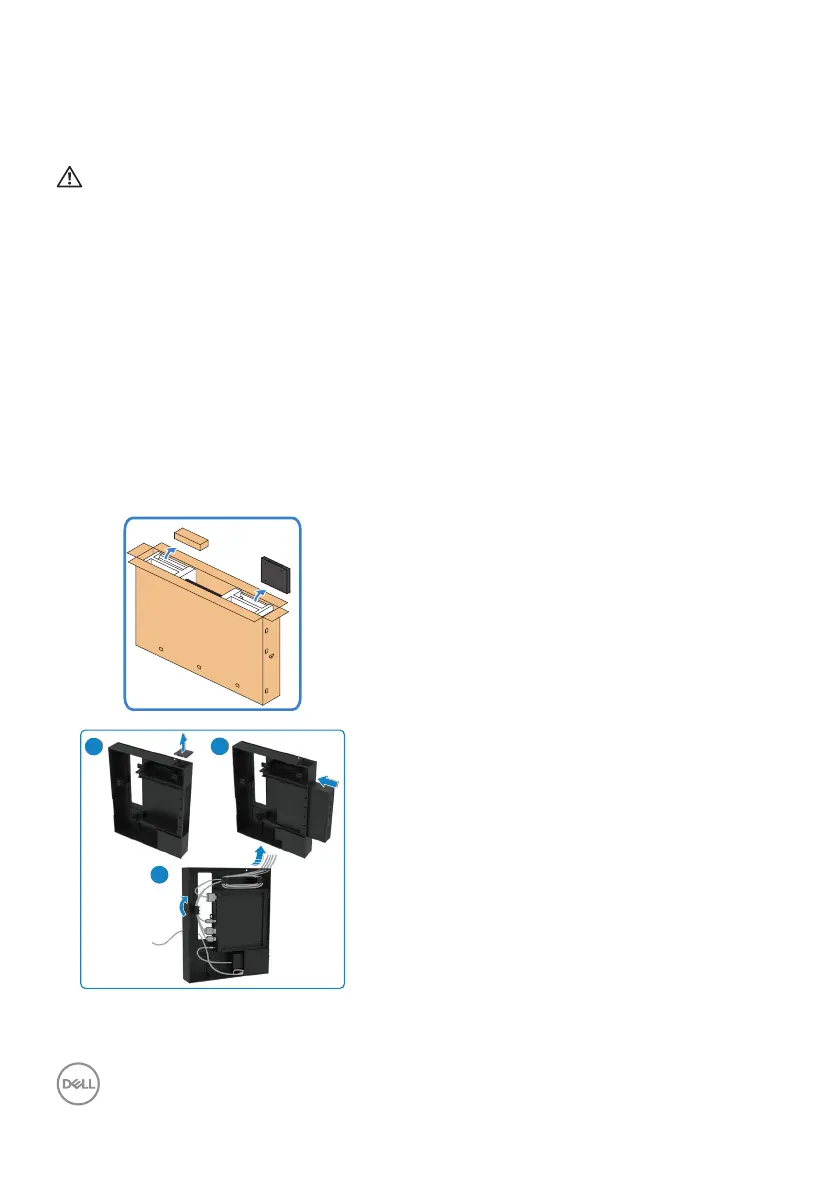
Attaching the optiplex
• Open the carton, take out the Optiplex
holder and accessories box .
• Included accessories: Cables, Remote
Control & Batteries, Remote control holder ,
Stylus, Wire Saddle and manual.
1
2
3
1. Remove cable cover.
2. Insert the Optiplex PC and power adapter
into the respective compartments.
3. Plug in the cables and route the cables
using the cable management hooks that is
within the Optiplex holder.



 To Next Page